Runs
The Runs tab lists all stack executions (runs) and their statuses.
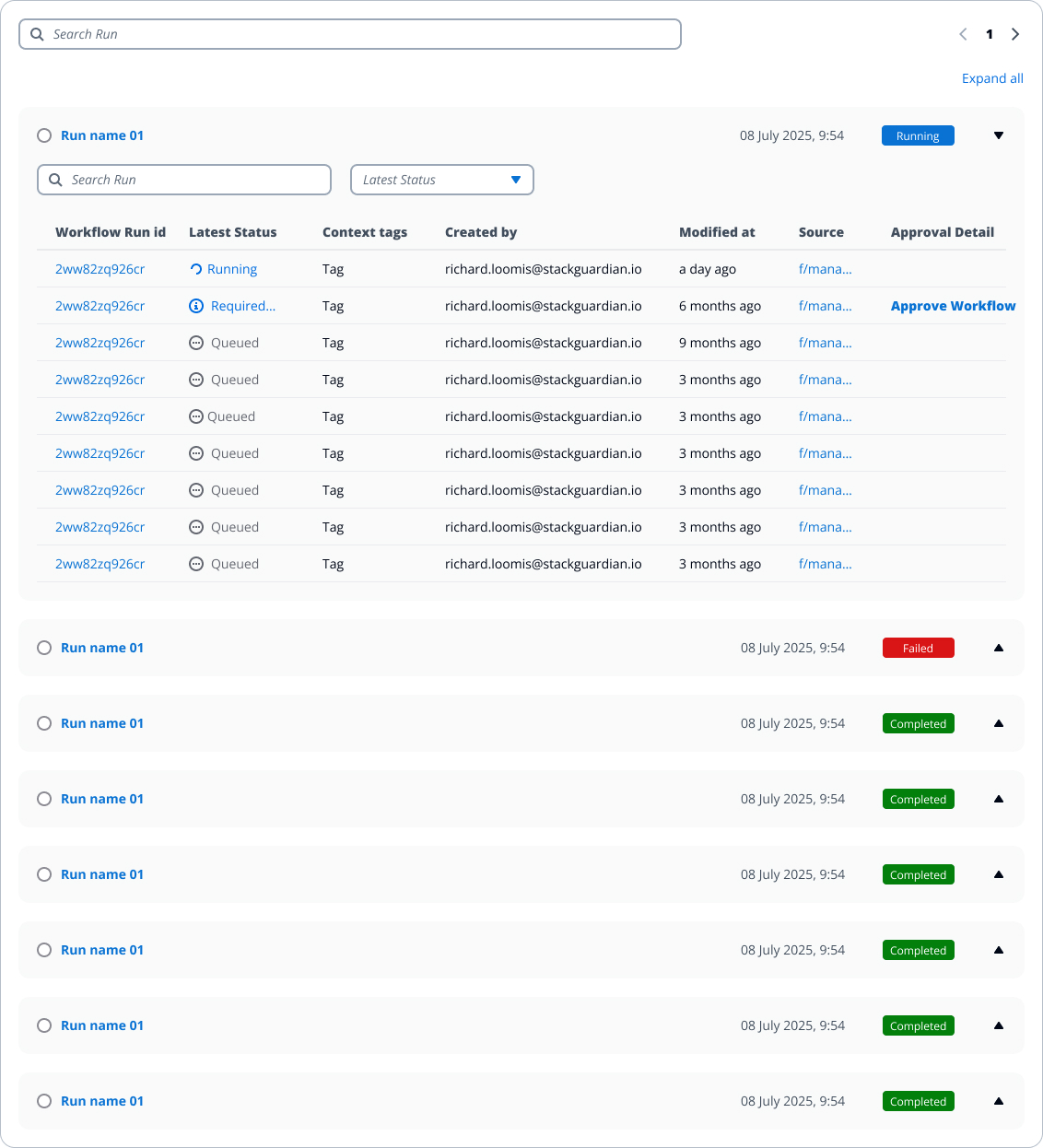
In the collapsed view, each row represents a single Stack Run.
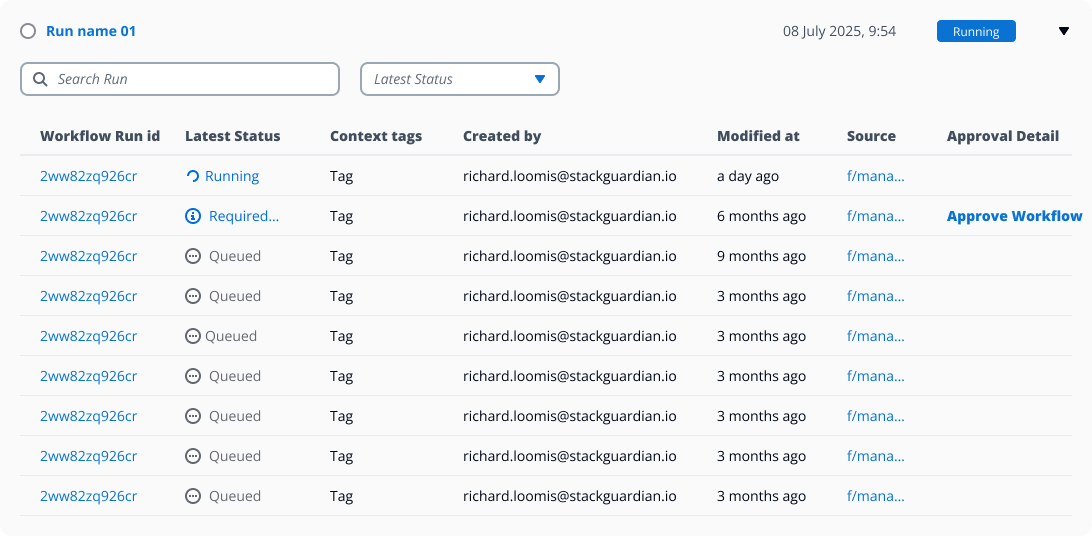
Expanding a Stack Run reveals the workflow runs that were executed inside that stack.
1. Runs List
Displays a list of all stack runs.
Each run entry shows:
- Run ID and trigger source (manual, scheduled, API)
- Latest status (Queued, Pending, In Progress, Running, Succeeded, Failed)
- Context tags
- Created by
- Modified at
- Source
- Approval detail
You can search by name and filter or sort runs by actions, status and context tags.
When the Stack Run is collapsed, only the Stack Run ID, status, and timestamps are shown (as in the screenshot).
When the Stack Run is expanded, the list displays the Workflow Run Id, Latest Status, Context tags, Created by, Modified at, and Approval Detail for each workflow run included in that Stack Run.
2. Run Details View
Clicking a run opens a detailed execution view that includes:
- Logs
- Errors
- Compare parameters
- Parameters
- Compliance Checks
- Infracost Estimation
- Plan
- Provisioned Resources
- Comments
For Stack runs, this detailed view also includes all associated workflow runs and their execution details.
This section helps users analyze executions, review outcomes and troubleshoot issues effectively.