Outputs
The Outputs tab provides visibility into all output variables generated by the workflows inside a stack. Because a stack may contain multiple workflows, outputs are grouped by workflow, allowing users to easily browse, filter, and consume results across interconnected automations.
Stack outputs are commonly used to pass data between workflows inside the stack, link multiple automation stages together, or expose deployment results to external systems.
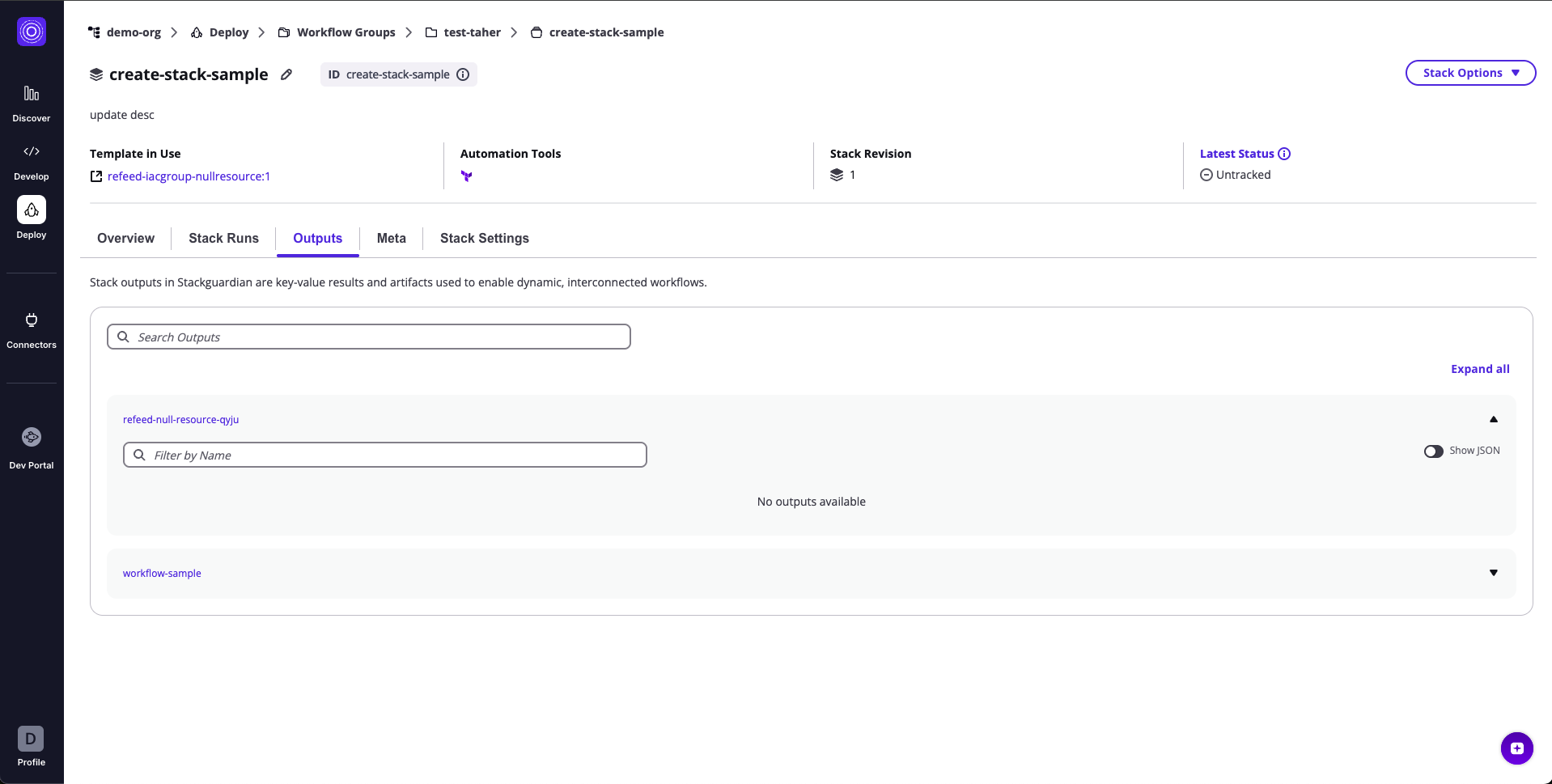
1. Output Groups & Variables
All stack outputs are displayed as grouped sections, where each group corresponds to a workflow that produced outputs.
Each group can be expanded to view its individual output variables.
Each output variable shows:
| Field | Description |
|---|---|
| Name | The output variable name defined within the workflow or underlying IaC configuration |
| Value | The actual returned value from the workflow run |
Additional actions:
- Expand/Collapse arrow – Open or hide a workflow's output group
- Search bar – Filter output groups by name
- Filter by Name (inside a group) – Quickly filter variables within a workflow's outputs
- Show JSON toggle – View raw JSON for the selected workflow's outputs
Output groups make it easy to understand which workflow produced which values and how they can be chained across automation steps.
2. JSON View
When Show JSON is enabled inside an output group:
- The workflow outputs are shown in their full raw JSON structure
- Nested objects and complex output types are displayed exactly as generated
- Sensitive values remain masked according to platform rules
The JSON view is ideal for programmatic integrations or copying structured data directly into other workflows or systems.