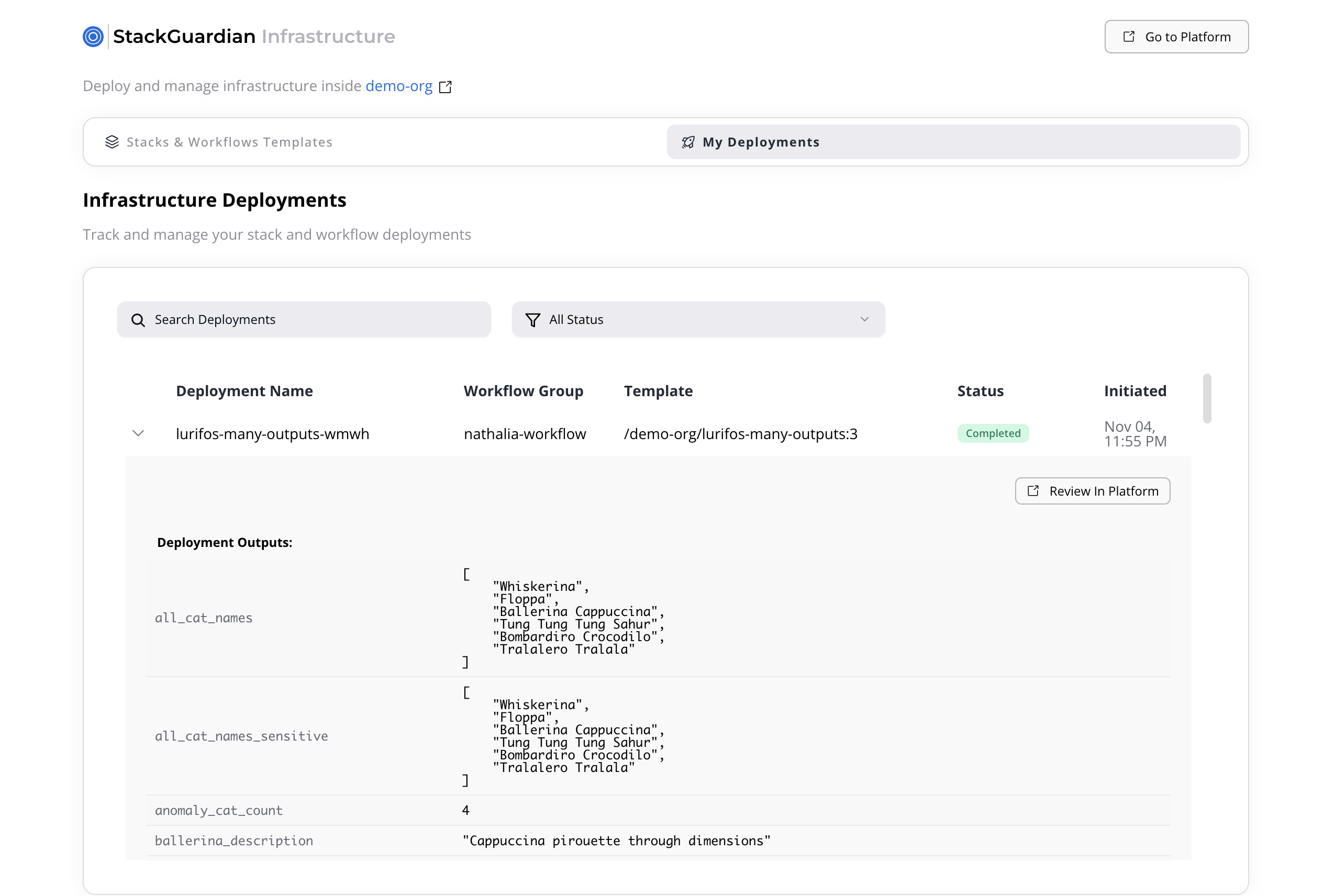
StackGuardian Backstage Plugin
Overview
The StackGuardian Backstage Plugin seamlessly integrates the StackGuardian platform into your Backstage developer portal. It enables teams to discover, configure, and deploy IaC templates and workflows directly from Backstage without switching tools. Through an intuitive interface, users can browse reusable infrastructure templates, trigger deployments, and monitor their status — all within a single developer experience.
Installation & Usage
The plugin is available as NPM package and to install this plugin into your Backstage app, run the following command at the root of your project:
yarn --cwd packages/app add @stackguardian/backstage-plugin-sg-library
Configuration
- Update your
app-config.yamlfile to include the following configuration:
integrations:
  stackguardian:
    organization: '' # StackGuardian Organization name

backend:
  baseUrl: '' # Backstage Backend URL
  listen:
    port: 7007

proxy:
  '/stackguardian':
    # EU region: https://api.app.stackguardian.io/api/v1
    # US region: https://api.us.stackguardian.io/api/v1
    target: 'https://api.app.stackguardian.io/api/v1'
    headers:
      Authorization: 'apikey {SG_API_KEY}'
    allowedHeaders:
      - x-sg-orgid
    changeOrigin: true
Use the API URL that corresponds to your StackGuardian organization's region:
- EU region:
https://api.app.stackguardian.io/api/v1 - US region:
https://api.us.stackguardian.io/api/v1
- Set your API key environment variable:
export SG_API_KEY=<your_stackguardian_api_key>
You can obtain the API key from the StackGuardian Platform. Refer to following docs for details on generating an API keys.
The plugin uses the Backstage proxy server to communicate with StackGuardian APIs to avoid CORS errors and prevent exposing the API key in the browser’s network tab. You can read about proxy server here
Functional Overview
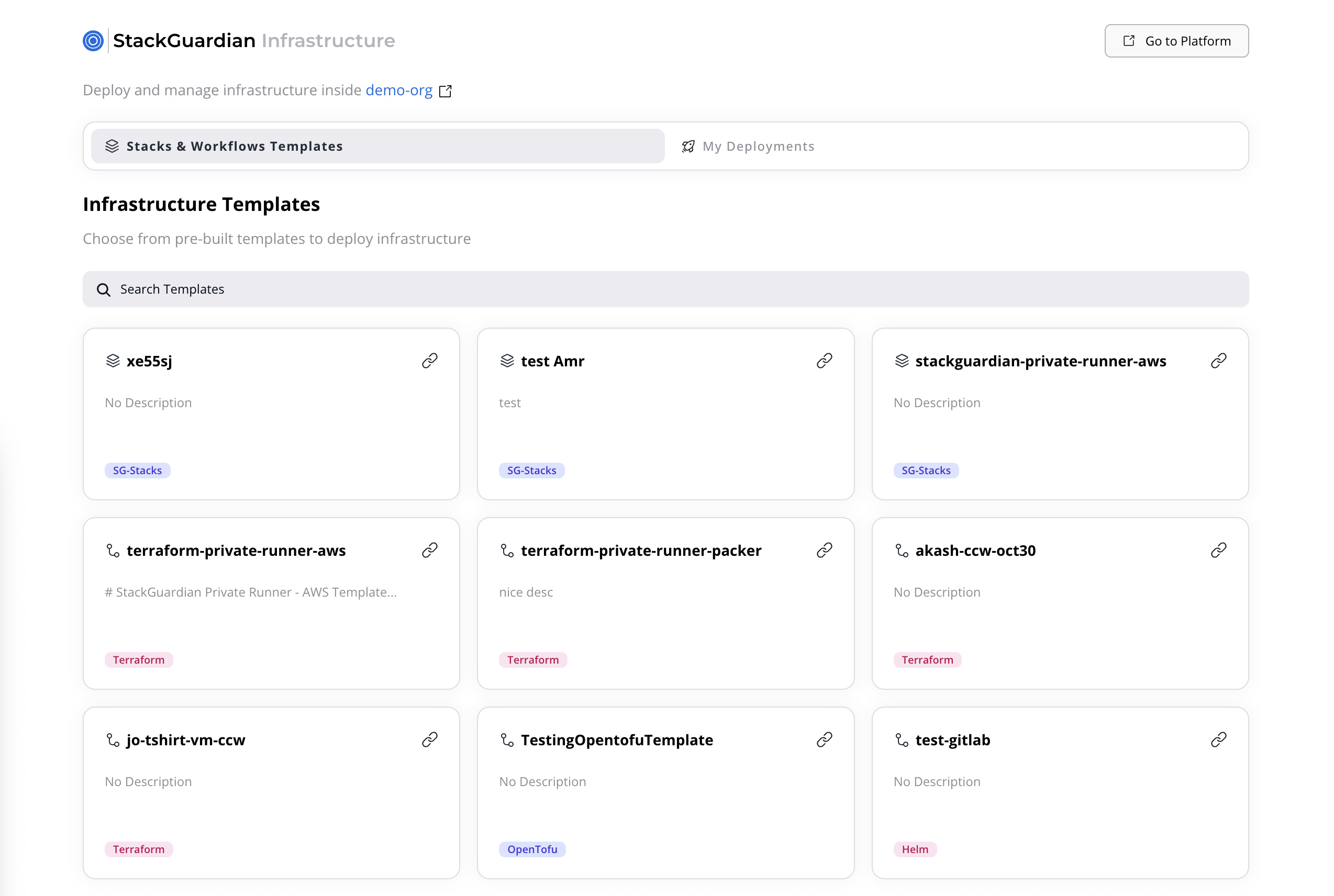
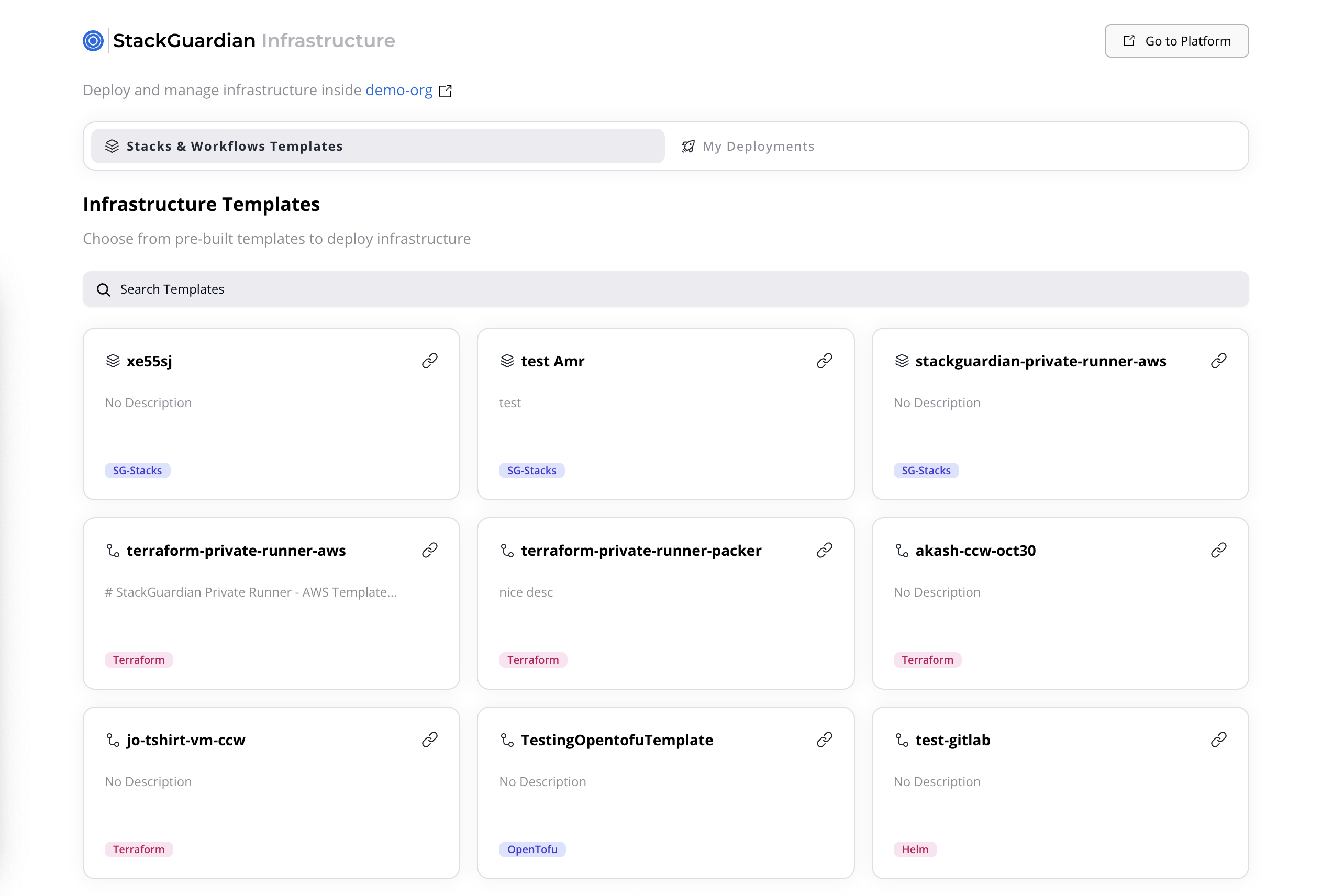
1. Stacks & Workflows Templates
Purpose
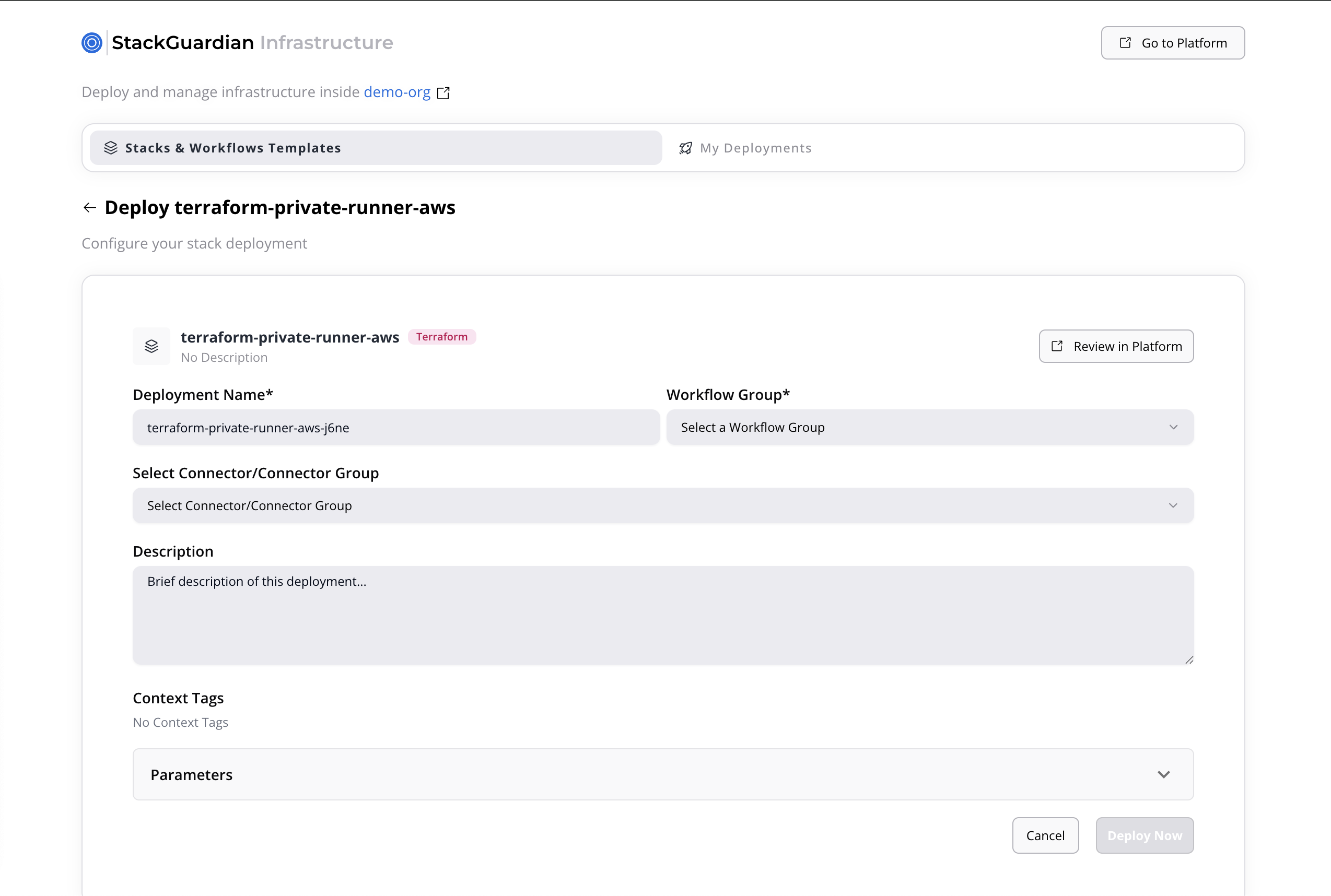
Provides users with a catalog of all available deployment templates in StackGuardian. Each template allows teams to deploy pre-defined infrastructure stacks or workflows directly from Backstage.
Interface
Features
- Search & Filter: Quickly find templates by name and type.
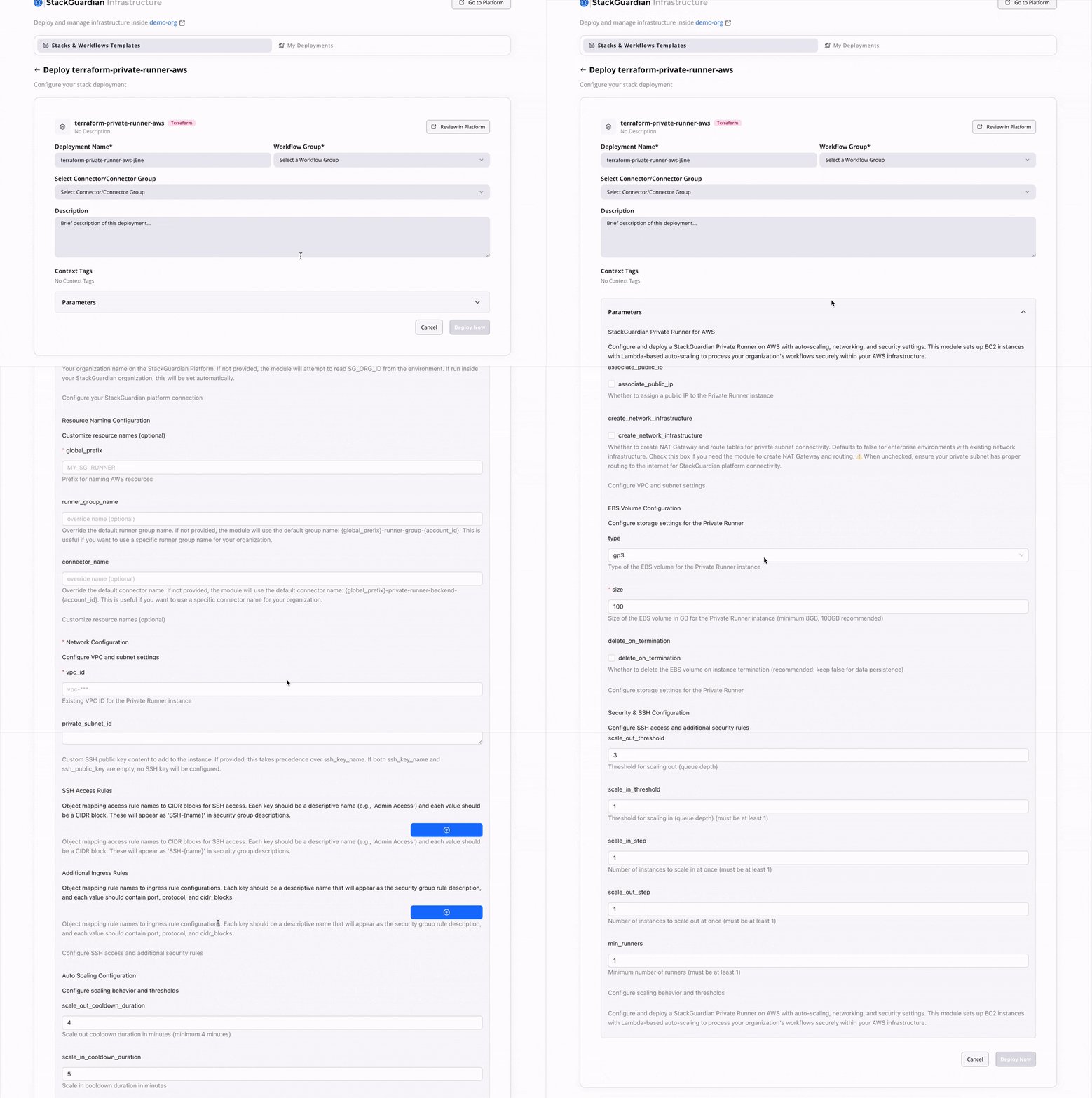
- Template Details:
Clicking a template opens a form requiring:
- Deployment Name
- Workflow Group (from a predefined list)
- Connector
- Description
- Tags (read-only)
- Parameters:
- Single-workflow template: Simple list of parameters.
- Stack template: Multiple parameter sets, one per workflow.
- Deploy Action: Once completed, users can start a deployment via “Deploy Now.”
2. My Deployments
Displays all deployments initiated by the user and their current execution status, allowing easy monitoring and review.
Interface
Each deployment entry includes:
- Deployment Name
- Workflow Group
- Source Template
- Status (Completed, In Progress, Failed, Pending Approval)
- Deployment Timestamp
Features
- Real-time Status Updates: Deployment statuses sync dynamically with the StackGuardian platform.
- Expanded Details:
Expanding a deployment shows:
- Deployment Outputs
- A link to “View in SG Platform” for full details in StackGuardian.