API access
Overview
The API Access feature provides organizations with a secure and centralized way to manage programmatic access to the platform. Located under Access Management → API Access, this functionality allows administrators to create, manage, and monitor API Access tied to organizational roles and permissions.
The design focuses on security, visibility, and control, ensuring that API access can be provisioned, audited, and revoked with ease.
Prerequisites
To create an API Access, your role needs these least privilege permissions assigned to your role:
createApiAccess- Allows you to create new API Access entries. This permission includes regex pattern matching for the field Access Name to control naming conventions.getRole- Allows you to view and assign roles to API Access. Without this permission, you cannot assign roles during API Access creation or editing.
Key Features
createApiAccess- Allows you to create new API Access entries. This permission includes regex pattern matching for the field Access Name to control naming conventions.getRole- Allows you to view and assign roles to API Access. Without this permission, you cannot assign roles during API Access creation or editing.
Key Features
1. API Access Table
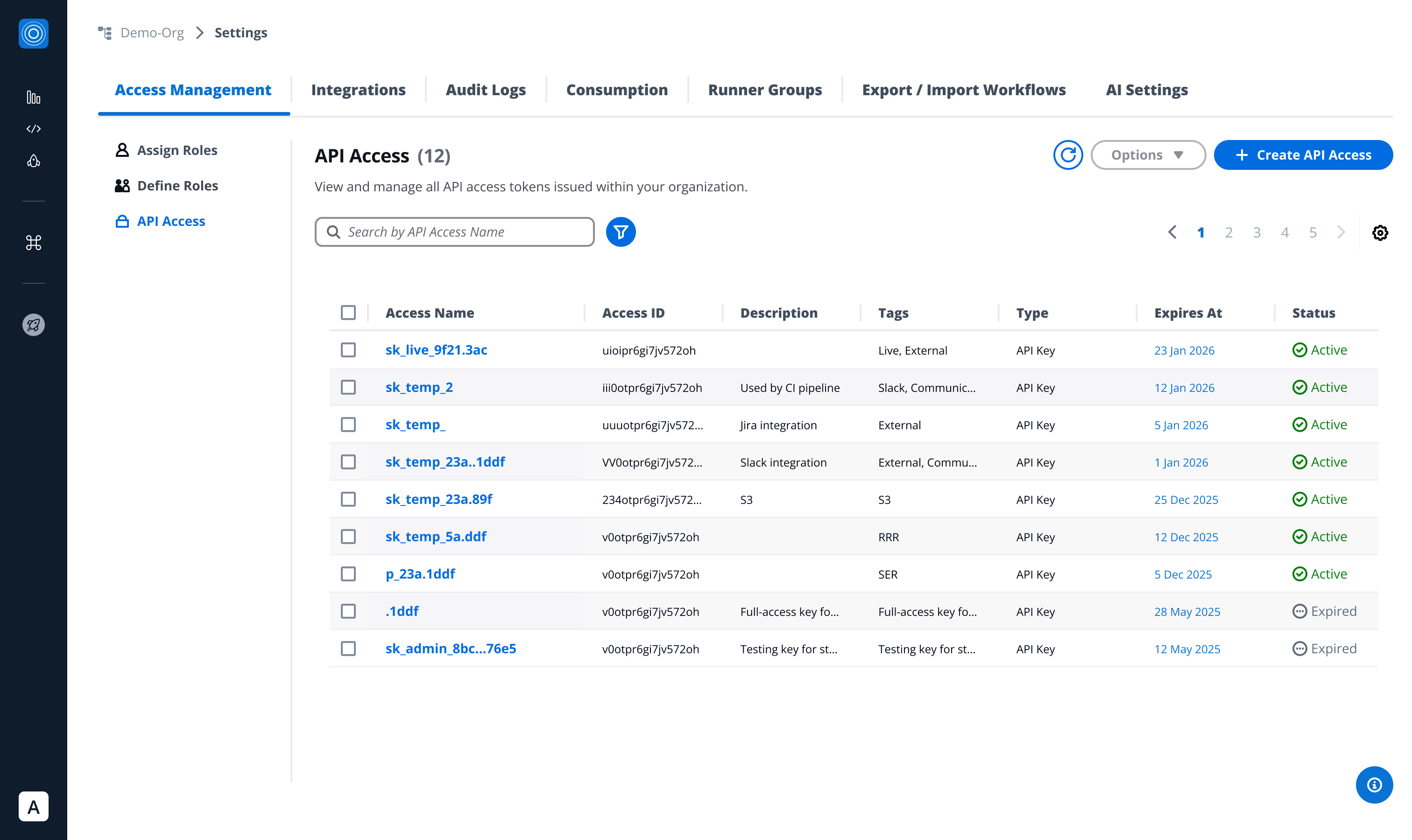
All created API Access are displayed in a centralized table view, including:
- Access Name
- Access ID
- Description
- Tags
- Type (currently only API Key)
- Expiration Date
- Status (Active, Expired)
From this view, users can:
- Click Access Name → open detailed API Access view.
- Bulk-select multiple API Access → perform mass deletion.
- Single-select an API Access → delete, regenerate or edit.
2. Detailed API Access View
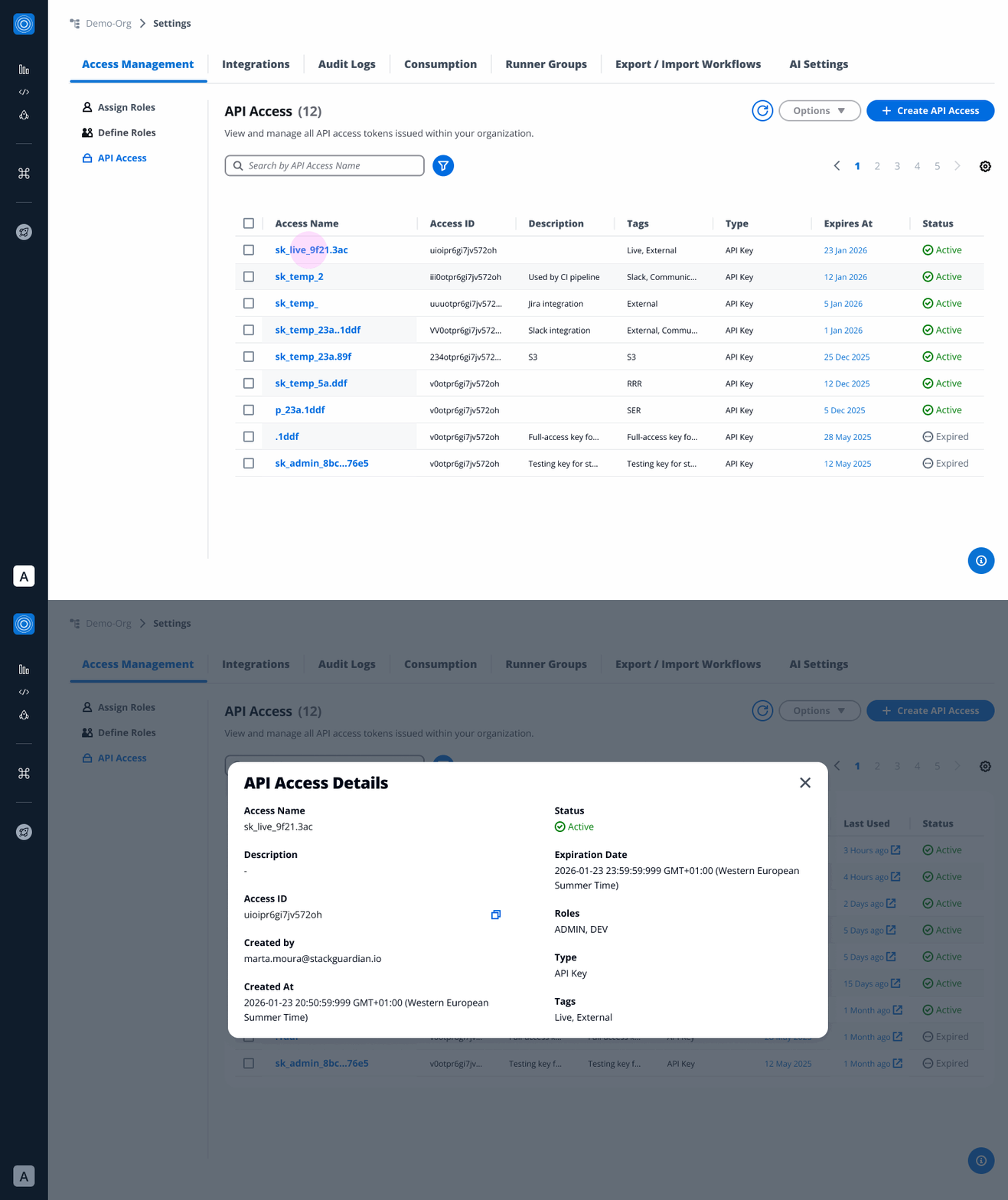
Clicking on an API Access name opens a detailed panel with:
- Access Name & Description
- Tags
- Created By (user identity)
- Created At (timestamp)
- Role Assignment
- Status (Active, Expired)
- Expiration Date (with timestamp)
This enables admins to quickly audit access credentials and their usage.
3. API Access Creation
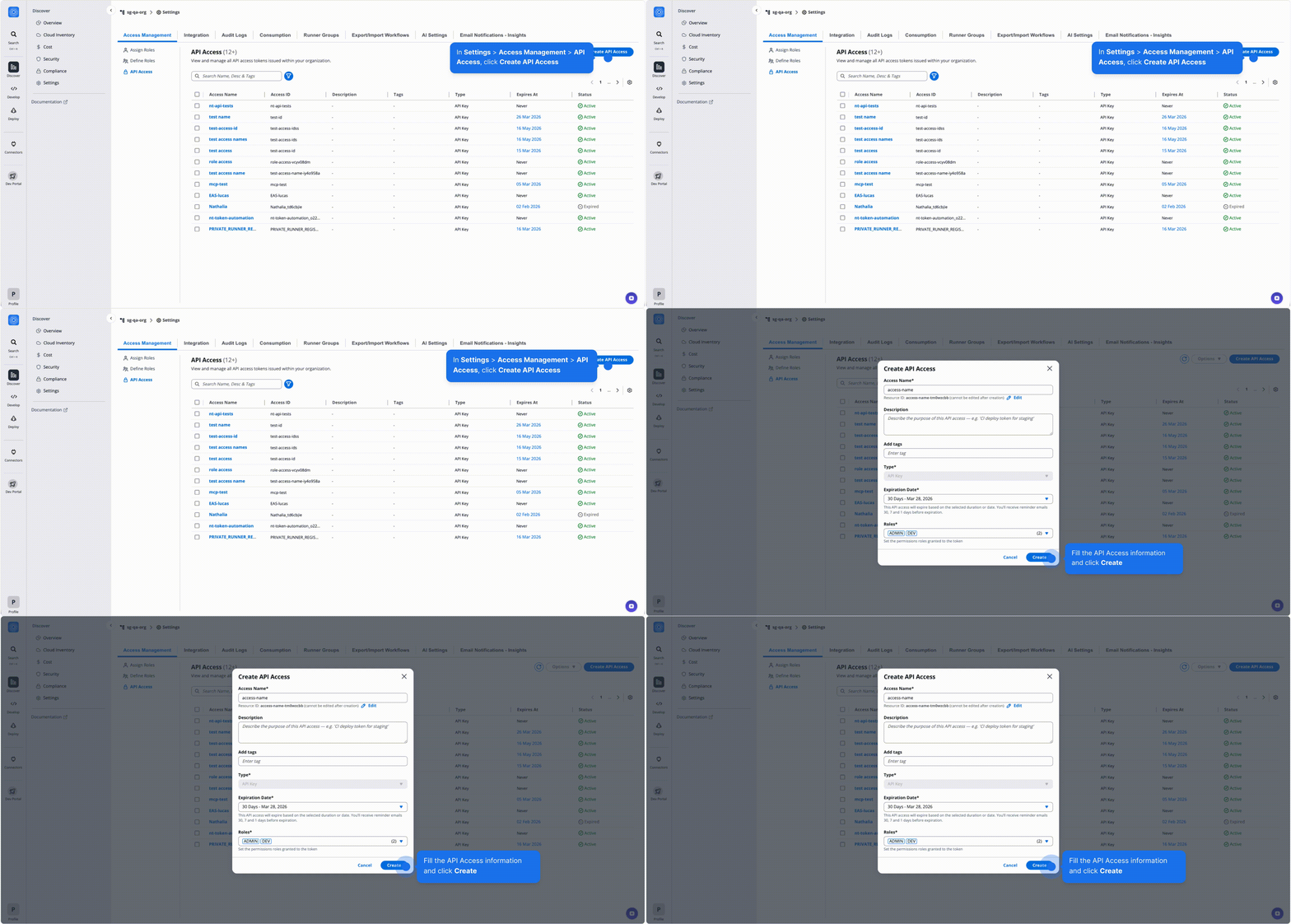
When creating a new API Access entry, users can provide:
- Access Name (required)
- Access ID: Auto-generated from the Access Name. You can customize it using only letters, numbers, underscores (_), or dashes (-). Resource names containing whitespace may generate unexpectedly different IDs. This cannot be changed after creation.
- Description (optional)
- Tags (optional metadata for search & organization)
- Type (required)
- Expiration Date (required)
- Roles (permissions granted to the API key)
Upon creation:
- A secure API token is generated.
- Users can copy or hide the token for security.
- A success banner confirms creation, and the token details appear in the API Access table.
Create API Access
4. Regeneration
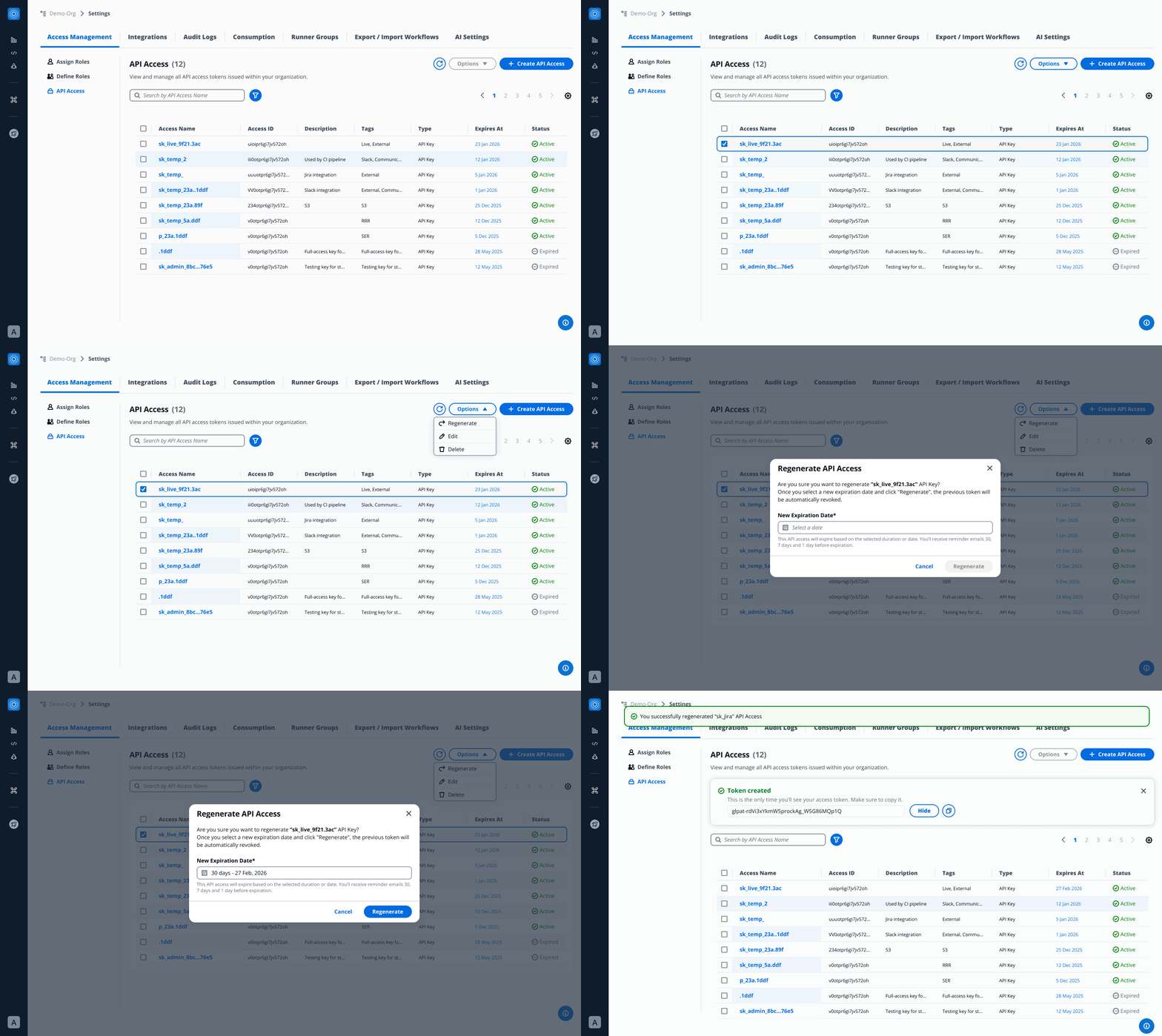
When managing API Access, users are provided with the option to regenerate tokens for enhanced security and compliance in the “options” button.
- Generates a new token that fully replaces the existing one.
- Requires assigning a new expiration date at the time of regeneration.
- Designed to support key rotation and uphold security best practices.
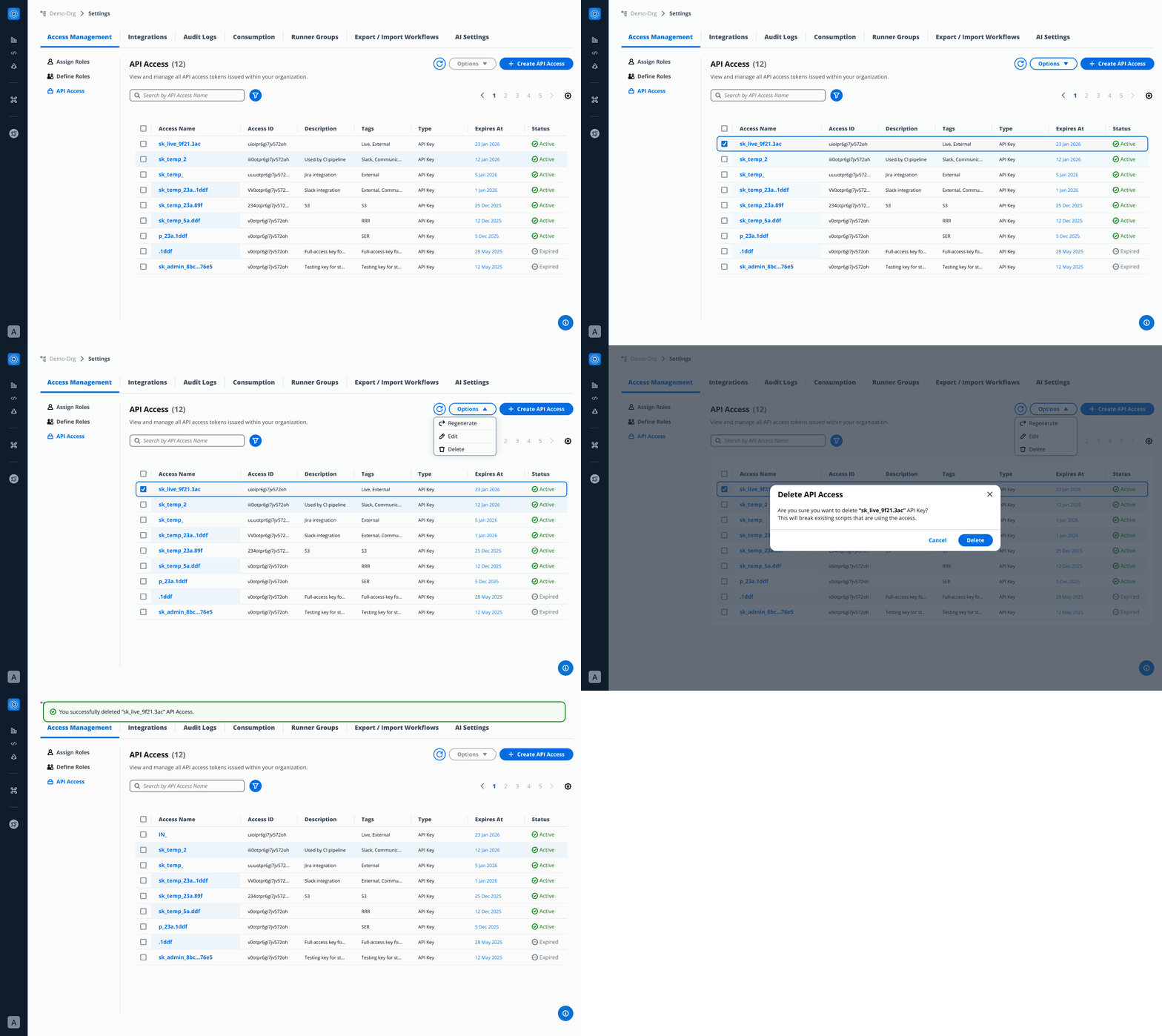
5. Deletion
Users can choose to permanently remove one or more API Access, ensuring full control over access.
- Permanently deletes the selected API Access.
- Immediately revokes all associated access.
- Supports both single-key removal and bulk deletion through multi-select.
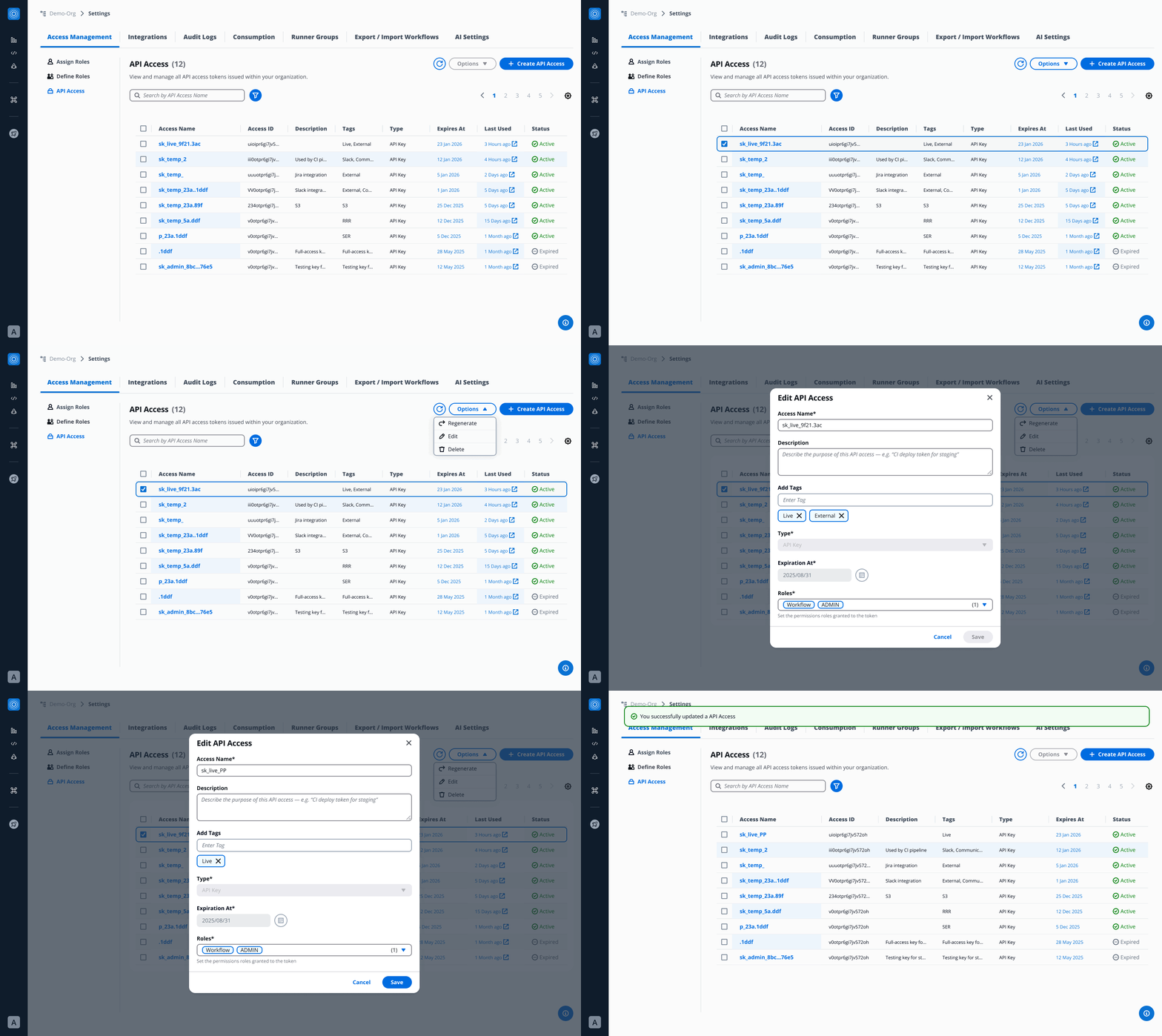
6. Editing
Through API Access, users can update key details to keep access information clear and organized.
- Edit the name to maintain consistency and readability.
- Update the description for better context and documentation.
- Manage tags to improve searchability and categorization.
- Adjust assigned roles to ensure proper permissions.
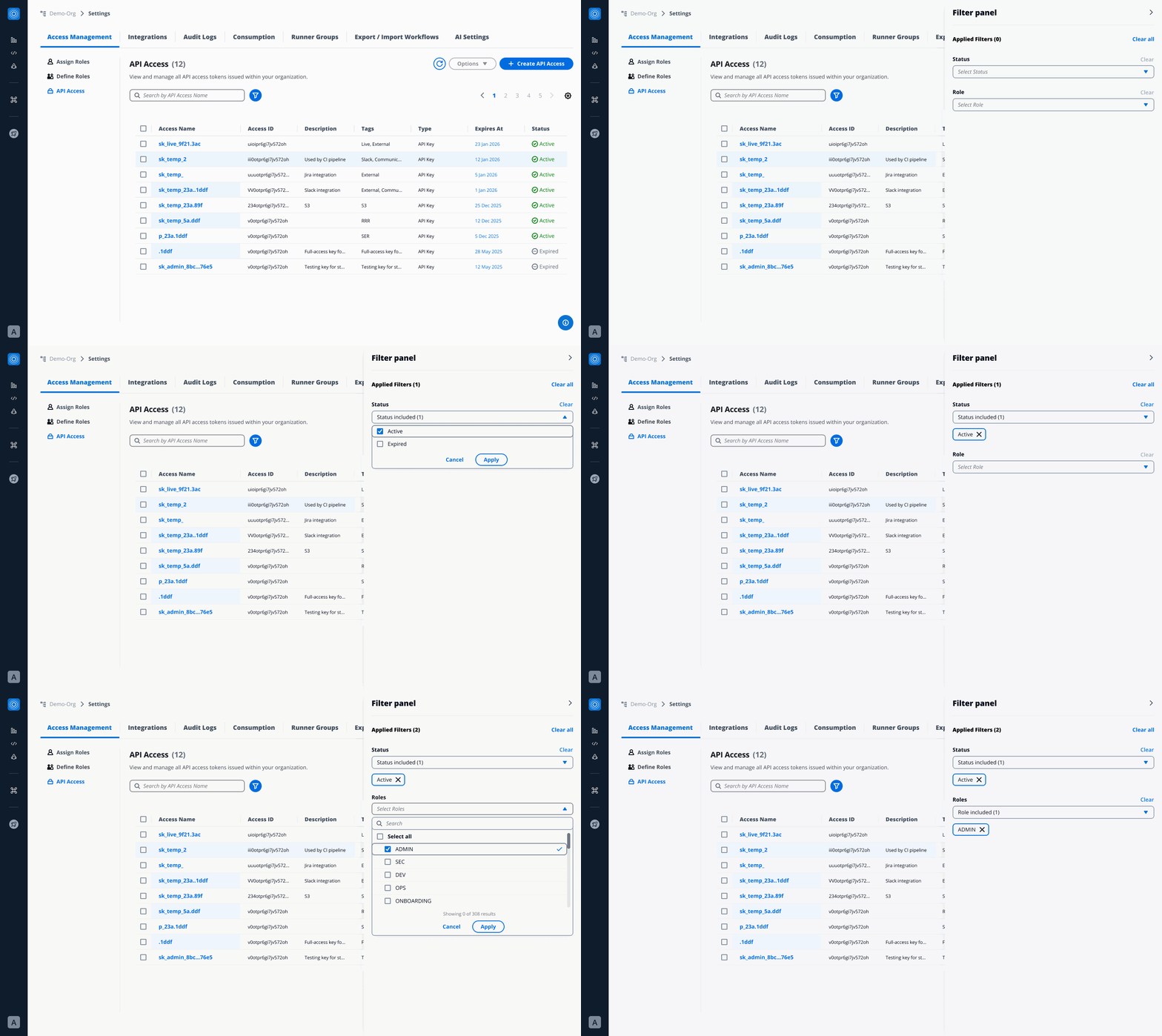
7. Filtering
The Filter Panel (accessible via filter icon) enables:
- Status Filter → Active / Expired
- Role Filter → by assigned role
- Tag Search → searchable metadata
This helps organizations efficiently manage API Access at scale.
8. Email Notifications
API Access authors are notified in advance before their access expires:
- 30 days before
- 7 days before
- 1 day before
- Upon expiration
These notifications improve visibility and prevent unexpected outages caused by expired keys.