Consumption
The Consumption page shows how your organization uses Workflow runs, Connector discovery runs, and Terraform/OpenTofu drift runs. It also shows the runtime minutes you consume and when your subscription ends. Tracking these metrics helps you manage resources and control costs.
To open the page, go to SGOrchestrator > Organization settings > Consumption.
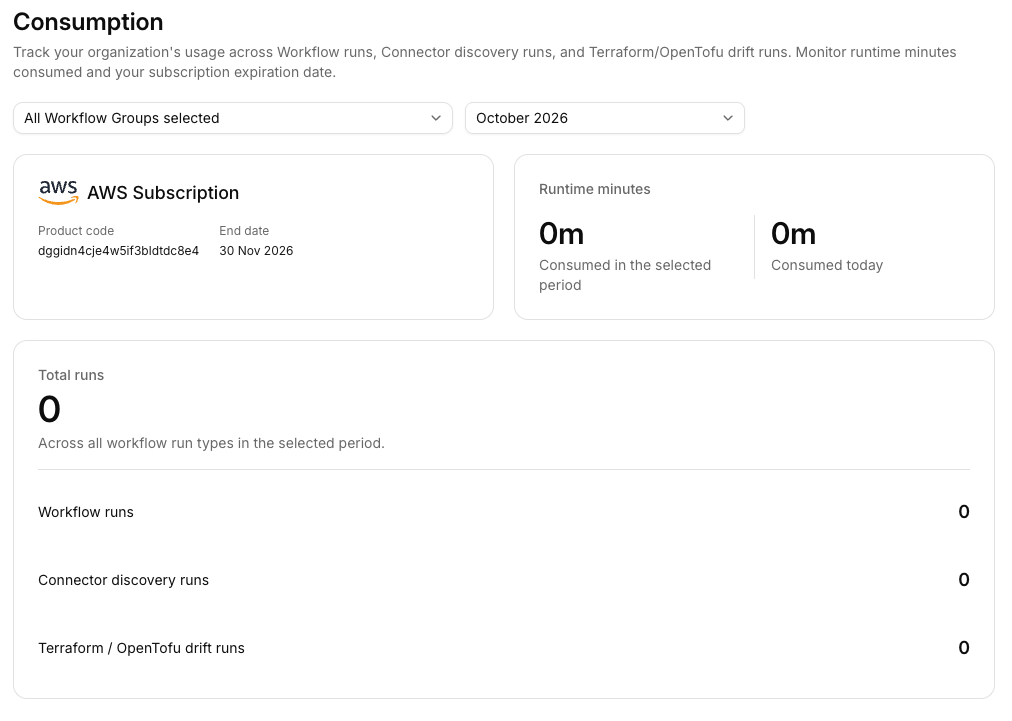
Consumption page
Filter the metrics
Use the filters at the top of the page to change what the metrics show:
- Workflow Groups: Choose which Workflow Groups to include. All Workflow Groups are selected by default.
- Month: Choose the month to view. The page shows the current month by default.
Subscription
The subscription card shows the details of your AWS or Azure subscription:
- Product code: The identifier of your subscription.
- End date: The date your subscription ends.
Renew your subscription before the end date to avoid service disruption.
Runtime minutes
The runtime minutes card shows how much runtime your organization consumes:
- Consumed in the selected period: The minutes consumed in the month you selected.
- Consumed today: The minutes consumed on the current day.
Total runs
The total runs card shows the number of runs across all run types in the selected period, broken down as follows:
- Workflow runs
- Connector discovery runs
- Terraform / OpenTofu drift runs