Kyro Bot
Overview
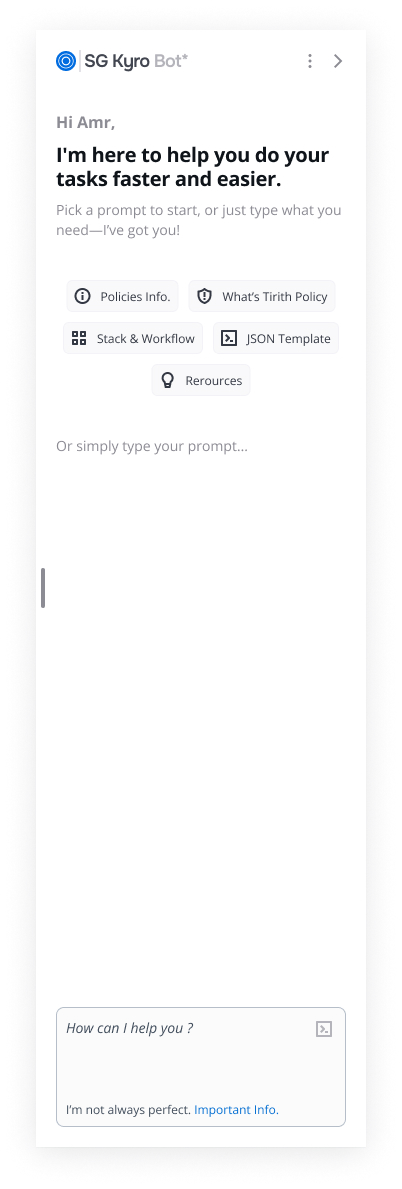
We’re excited to introduce Kyro Bot — StackGuardian's secure, intelligent knowledge assistant. Designed to help users quickly find answers, understand features, and explore platform capabilities, Kyro leverages advanced AI models while ensuring enterprise-grade privacy.
With real-time access to StackGuardian’s official documentation and a context-aware interface, Kyro transforms how users interact with the platform.
Key Features
1. Instant Answers with Source References
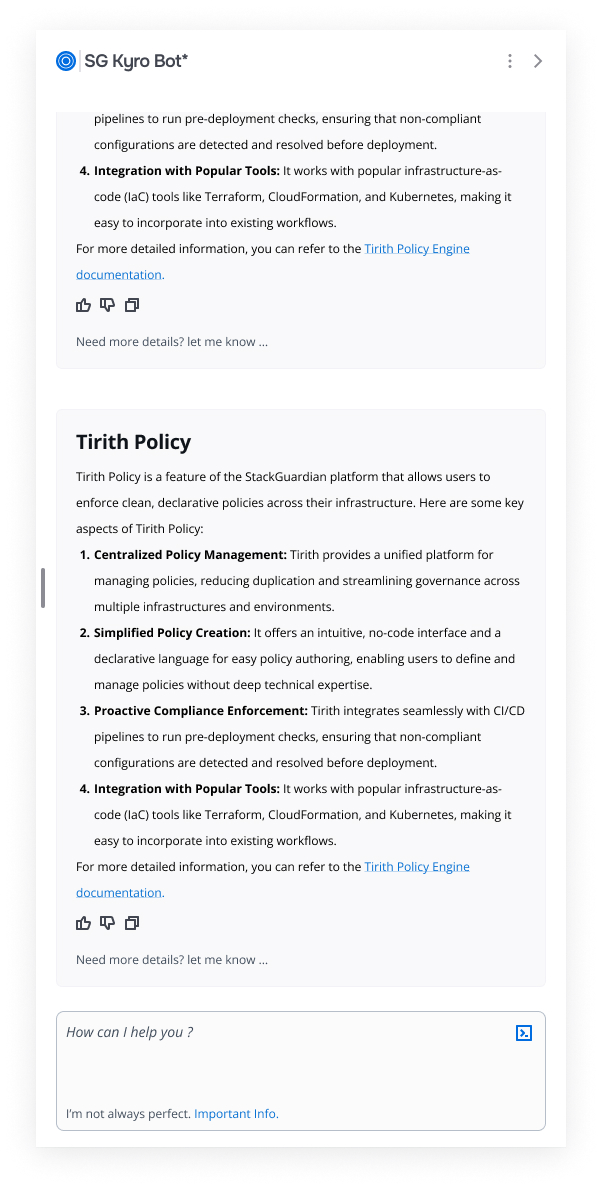
Kyro Bot provides precise, reliable responses to user queries — each answer includes direct links to the relevant documentation pages, ensuring full transparency and credibility.
2. Contextual Prompt Suggestions
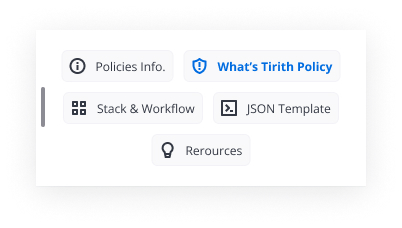
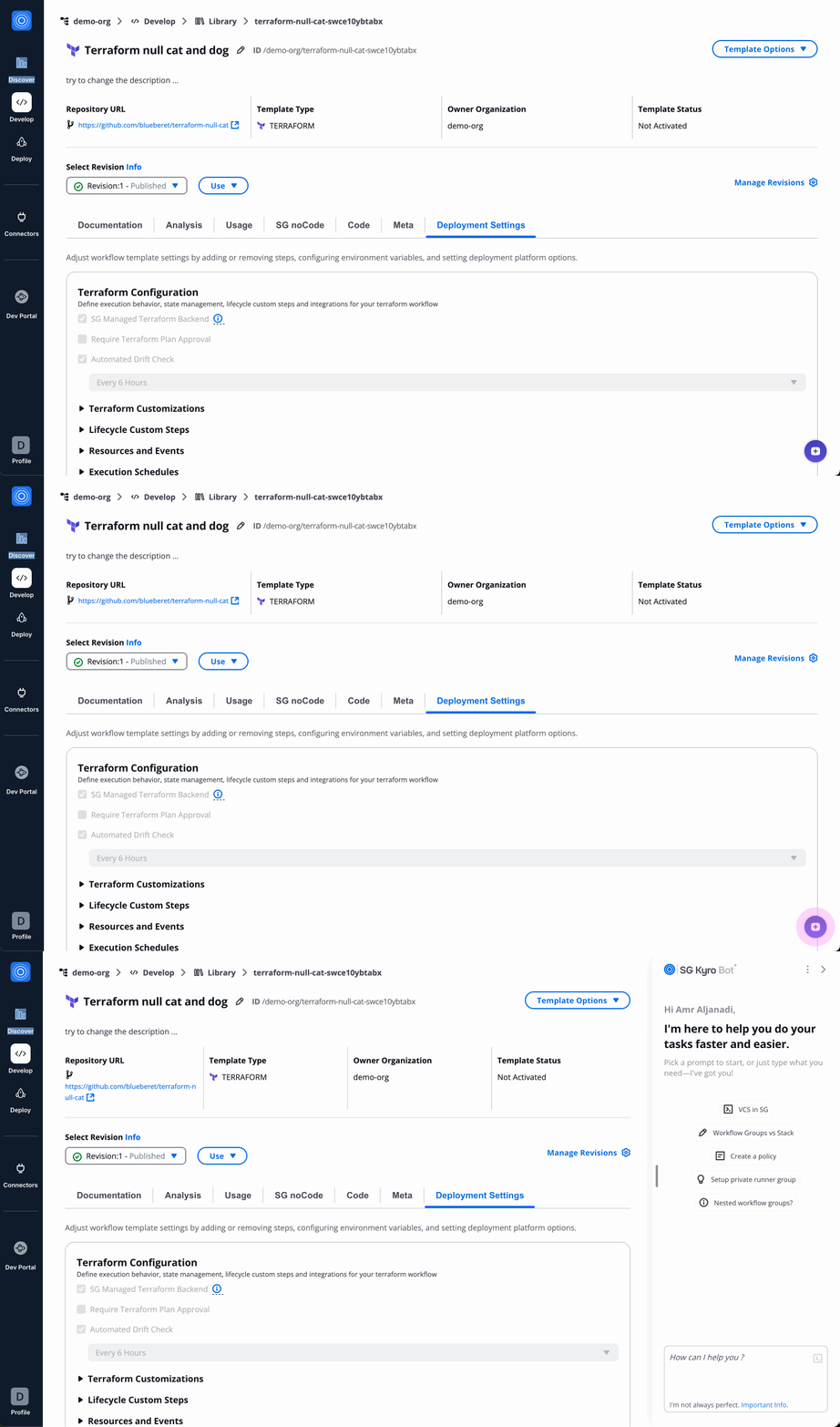
Depending on your current location within the StackGuardian platform, Kyro intelligently suggests relevant follow-up questions — helping users discover helpful insights faster.
3. Persistent Conversation History
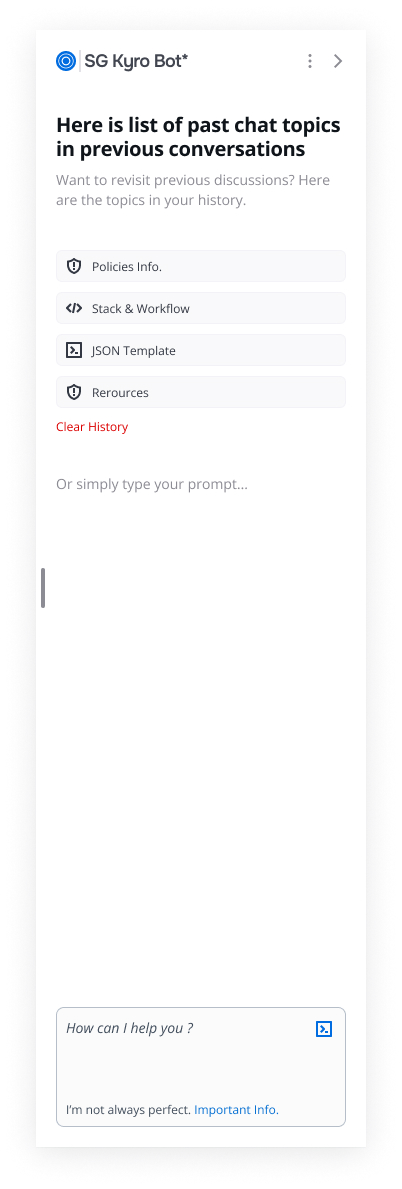
Users can now access previous Kyro conversations, allowing them to build on past interactions and revisit earlier discussions at any time for a smoother experience.
4. Organization Privacy & Security
Kyro is built with security at its core:
- No user data is accessed or stored
- Responses are exclusively generated from official StackGuardian documentation
- Compliant with strict enterprise privacy standards
5. Simple and Seamless Access
Once enabled by your organization’s administrator, Kyro Bot can be launched by clicking the AI button in the bottom-right corner of any page within the platform.
Users can:
- Ask about StackGuardian concepts, APIs, and platform features
- Receive clear, structured responses tailored to their queries
- Explore linked documentation for deeper understanding
6. Sample Questions to Get Started
Kyro is ready to assist you with both basic and advanced queries. Try asking:
- “How do I create a stack?”
- “How do I create an exclusion rule?”
- “How to trigger a deployment via API?”
You can ask follow-ups, troubleshoot issues, or explore features — Kyro is your personalized StackGuardian expert, always on hand.
7. Enabling Kyro Bot (Admins Only)
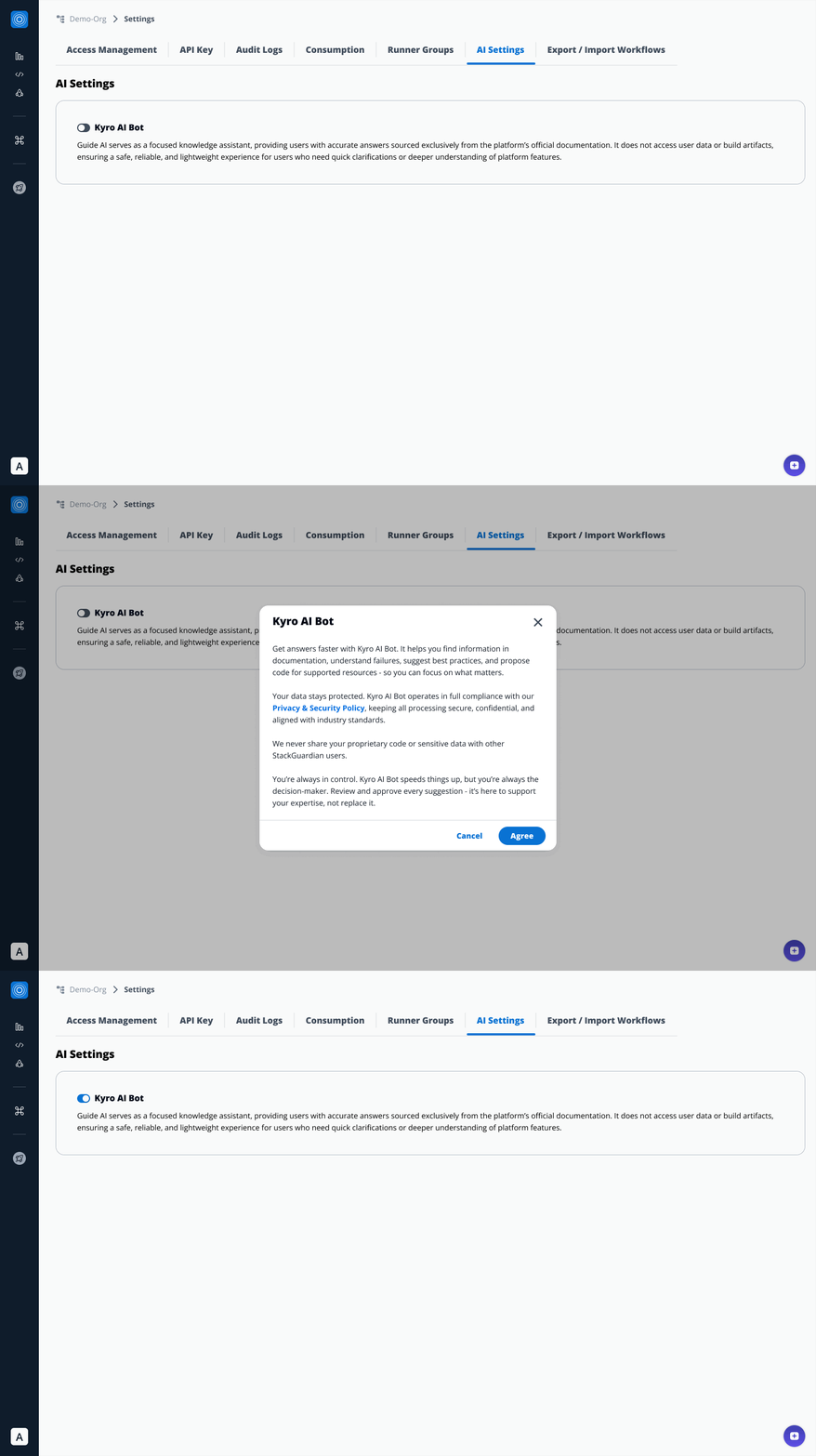
By default, Kyro Bot is disabled and must be enabled by an organization administrator.
To enable:
- Go to Organization Settings > AI Settings
- Locate the Kyro AI Bot toggle
- Switch the toggle ON
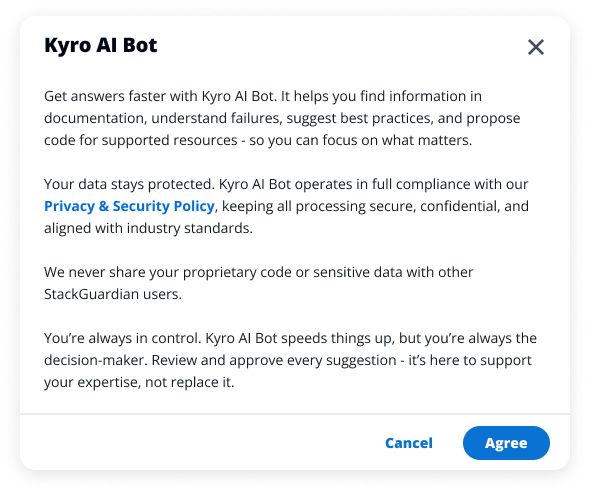
- Accept the Terms & Conditions
Once enabled, Kyro will be accessible to all users in the organization.
Kyro Bot does not access personal or project data. All answers come solely from official documentation.
8. For Non-Admins: Request Access
If Kyro Bot isn't enabled yet:
- You’ll see a message indicating it’s unavailable.
- You can select one or more organization admins to request enablement.
- An email notification will be sent to those admins.
Why Enable Kyro Bot?
Kyro Bot is designed for secure, efficient knowledge support:
- Instant answers with linked documentation
- No access to private data
- Organization-level privacy protections
Whether you're learning the platform or diving deep into advanced topics, Kyro provides a safe, reliable, and powerful way to interact with StackGuardian.