Compliance Dashboard
The Compliance Dashboard in the Insights Module delivers a detailed analysis of your cloud infrastructure's compliance posture. It synthesizes complex compliance data into clear, actionable insights, helping teams ensure regulatory compliance and mitigate risks.
Compliance Dashboard
The Compliance Dashboard is a key feature of the Insights module, aimed at identifying compliance gaps and facilitating a focused approach to achieving and maintaining compliance across cloud environments.
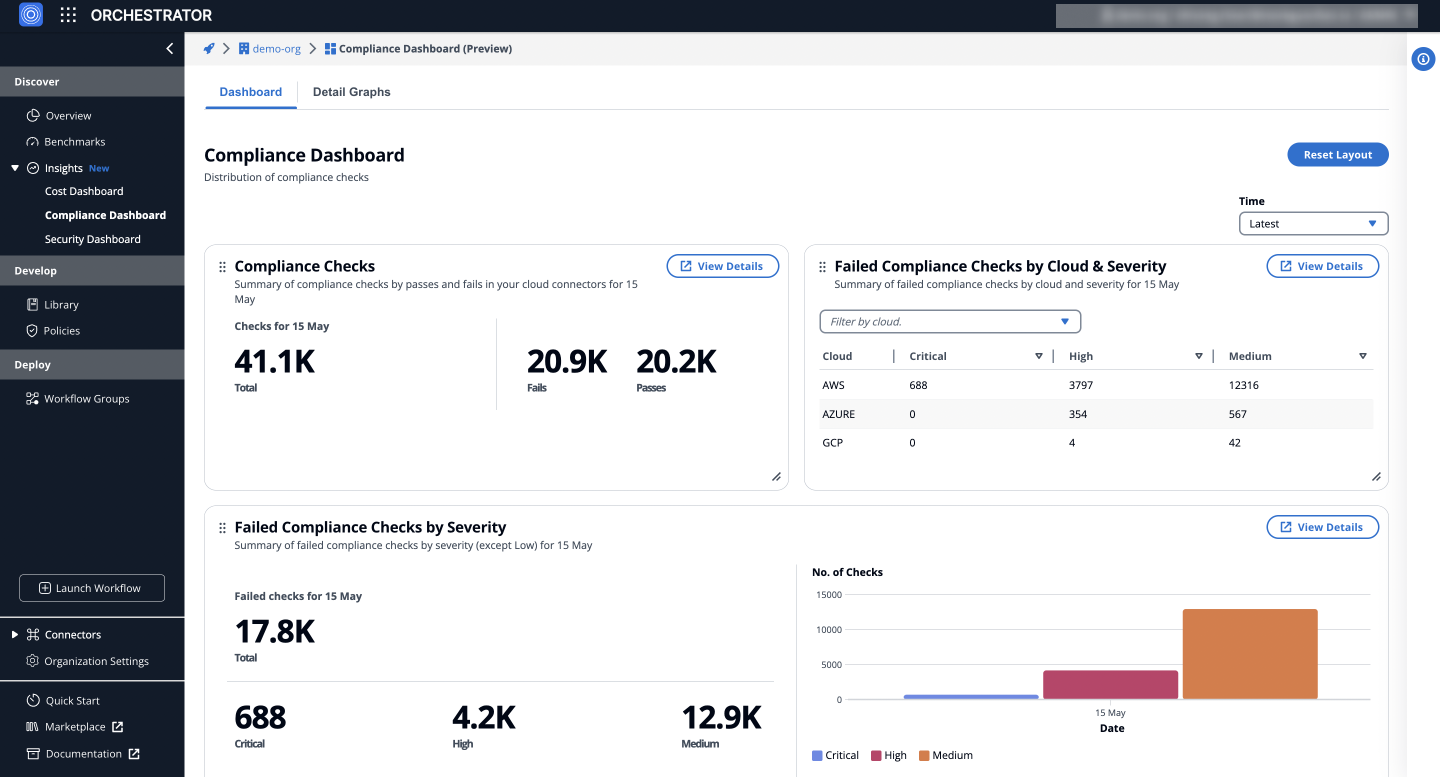
a) Compliance Checks
Summarizes compliance checks, indicating both passed and failed assessments across cloud connectors, with a total count of checks and outcomes.
b) Failed Compliance Checks by Cloud & Severity
Shows the distribution of failed compliance checks across clouds (AWS, Azure, GCP) and severity levels (high, medium, low), aiding in targeted compliance efforts.
c) Failed Compliance Checks by Severity
Details the total number of failed compliance checks by severity, highlighting critical areas requiring immediate attention.
Insights: Compliance dashboard
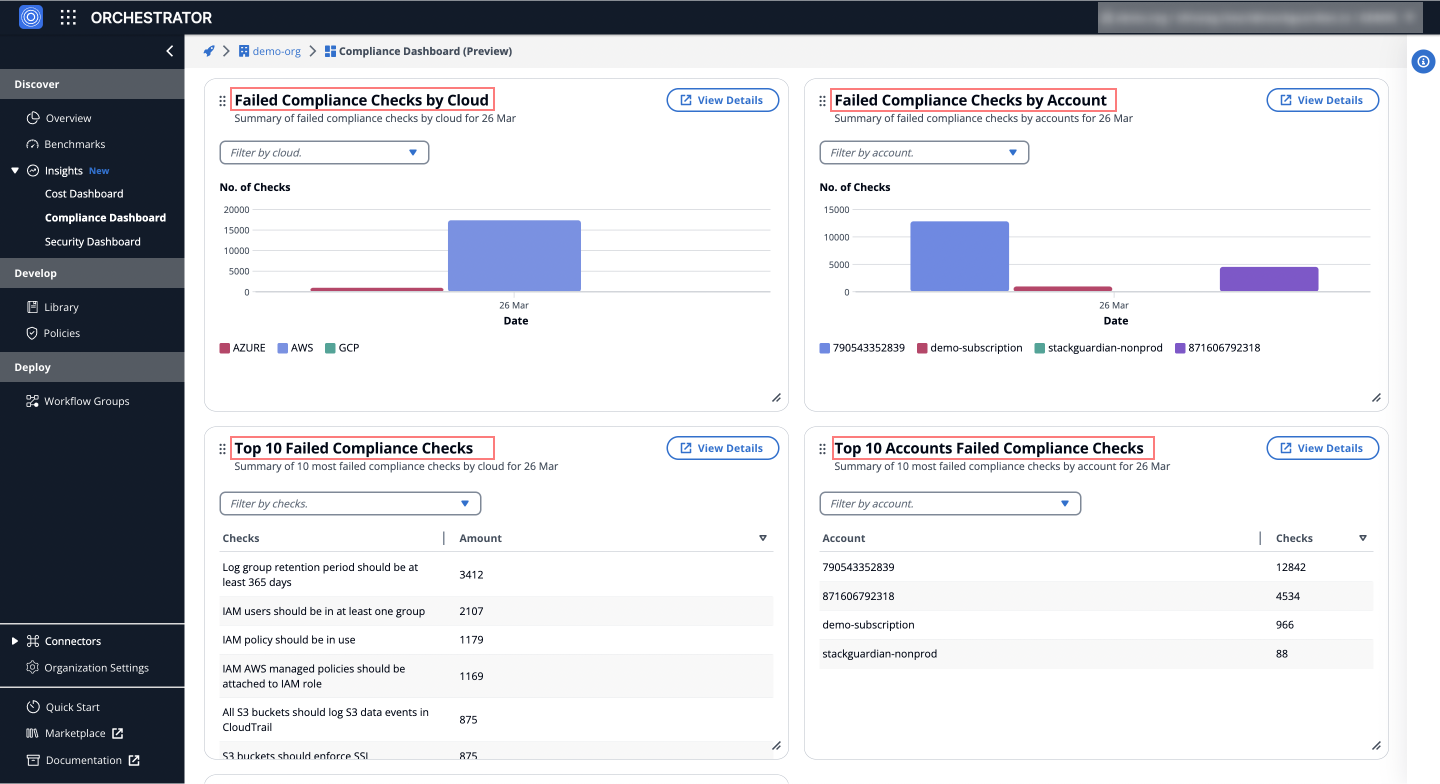
d) Failed Compliance Checks by Cloud
Provides insights into failed compliance checks per cloud provider, helping identify which cloud environments might be falling short in compliance.
e) Failed Compliance Checks by Account
Outlines failed compliance checks by account, pinpointing specific accounts that may be affecting overall compliance posture negatively.
f) Top 10 Failed Compliance Checks
Lists the top 10 failed compliance checks, identifying the most common compliance issues across the cloud infrastructure.
g) Top 10 Accounts Failed Compliance Checks
Highlights the top 10 accounts with the highest number of failed compliance checks, indicating areas for compliance improvement and risk reduction.
Insights: Compliance dashboard
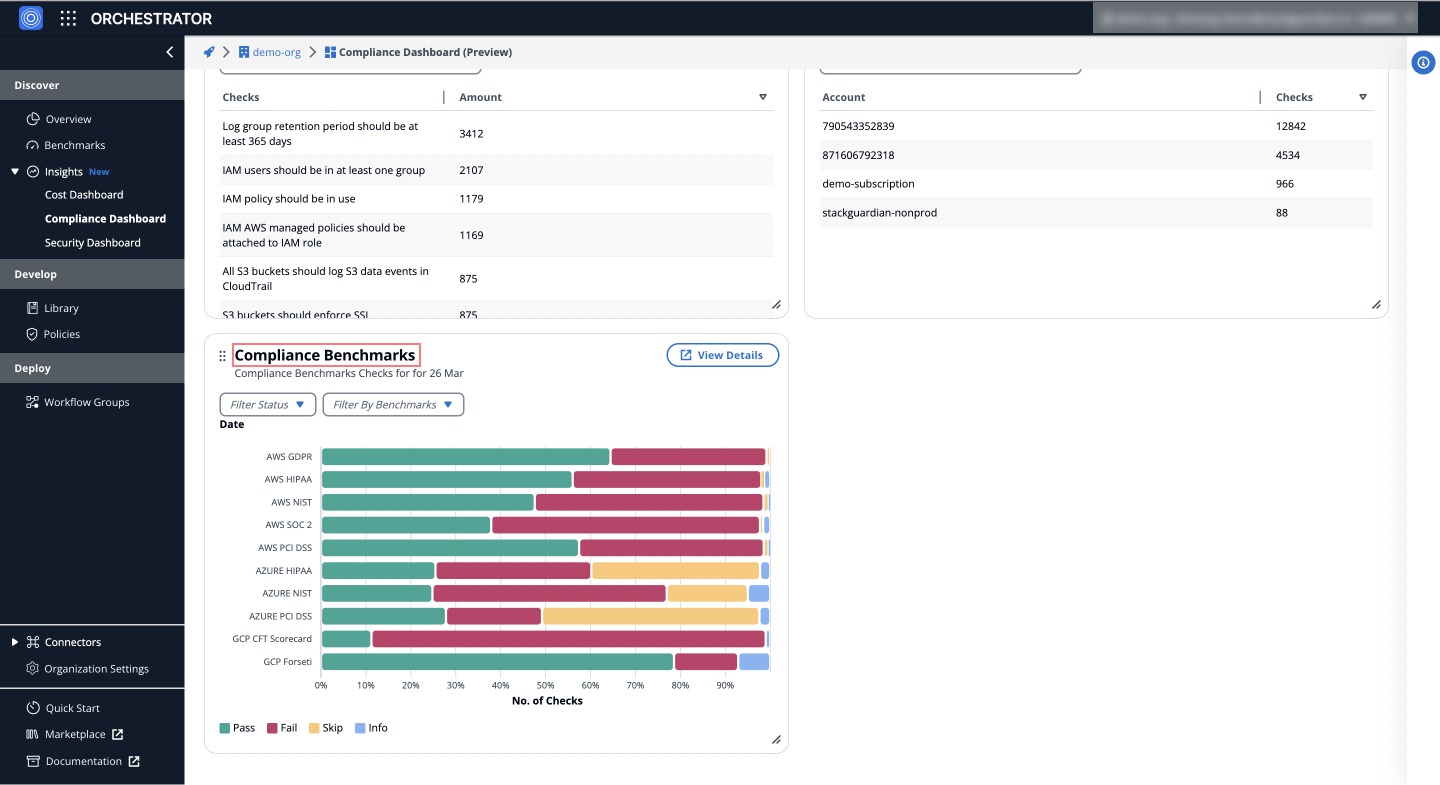
h) Compliance Benchmarks
Displays compliance benchmark checks, categorized by standards (AWS GDPR, Azure HIPAA, etc.), offering a standards-based evaluation of cloud compliance.
Compliance benchmark requirements may vary based on your deployment region:
- EU Deployments: Focus on GDPR compliance and EU-specific regulations
- US Deployments: Prioritize HIPAA, FedRAMP, and US state/federal regulations as applicable
Work with your StackGuardian representative to configure benchmarks that match your organization's regional compliance requirements.
Insights: Compliance dashboard
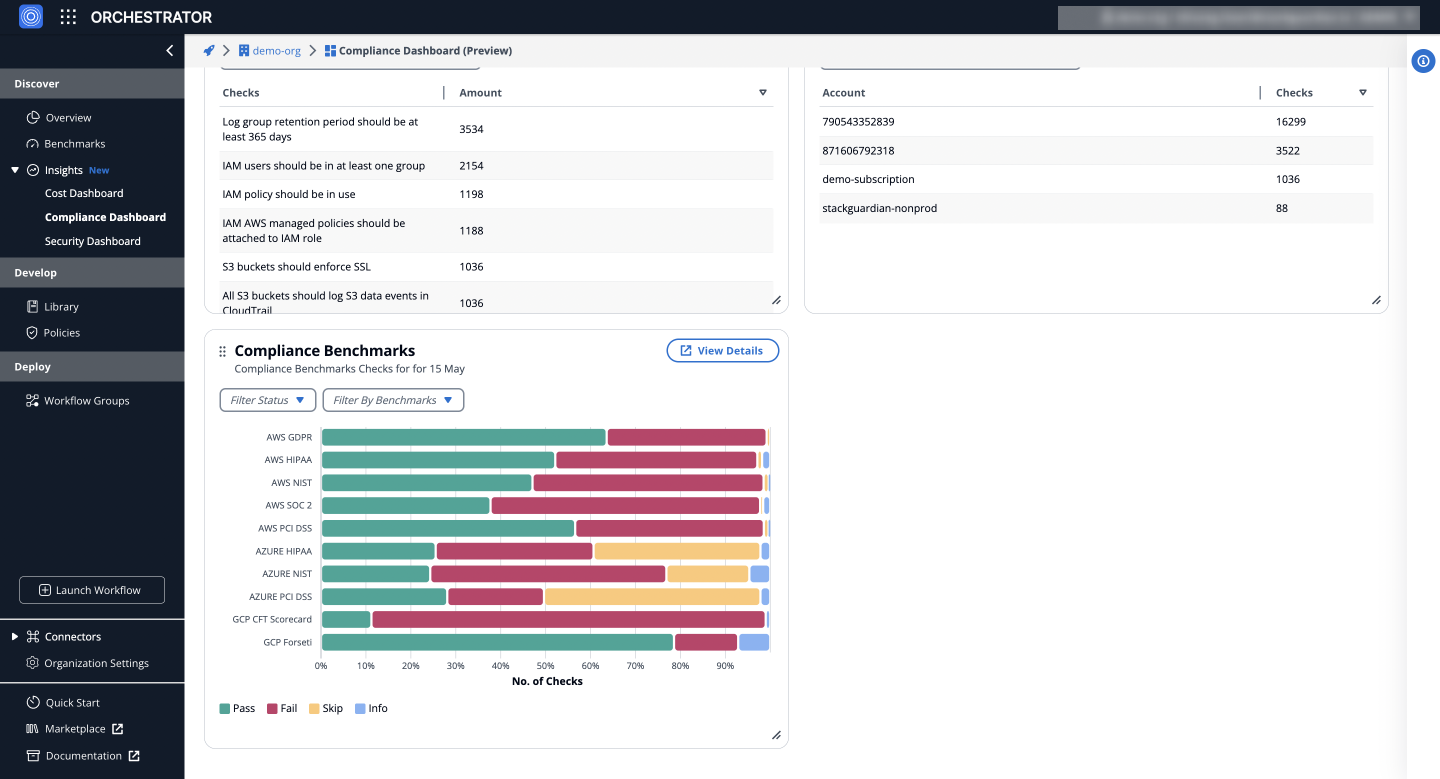
g) Compliance benchmark
Tracks adherence to standards like AWS GDPR, AWS HIPAA, and more, categorizing checks into pass, fail, skip, and info for easy identification and remediation.
Insights: Compliance dashboard
Detail Graphs
Provides an in-depth analysis of compliance checks over time, utilizing the filter panel to customize views by severity (Critical, High, Medium, Low), cloud provider (AWS, Azure, GCP), account, benchmarks and check status. It includes distribution analysis and a detailed breakdown of failed compliance checks, helping users identify trends and prioritize efforts.
Distribution of Failed Compliance Checks Over Time
Visually represents the distribution of failed compliance checks over time, allowing users to analyze trends and identify periods with higher failure rates for timely interventions and optimizations.
Detailed Breakdown
The detailed breakdown section displays failed compliance checks by severity (Critical, High, Medium, Low) for each day within the selected time frame, based on the applied filters, allowing users to pinpoint specific issues and prioritize efforts.
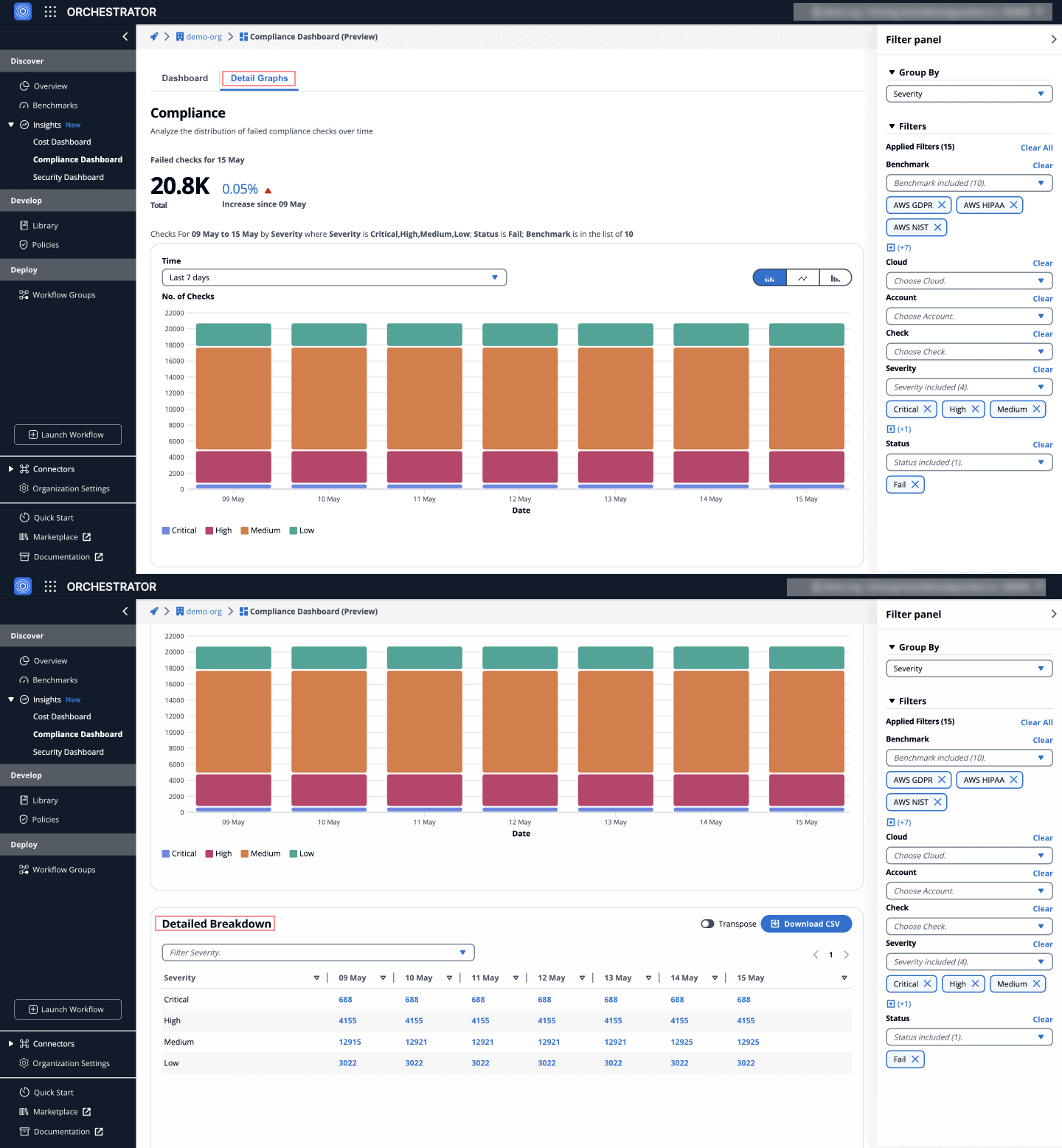
Insights: Detailed Breakdown of Failed Compliance Checks
Detail Checks
To explore a specific day's failed checks:
- Navigate to the Compliance Dashboard > Detail Graphs > Detailed Breakdown table.
- Click on the counts under the date column for one of the severities (e.g., High, Medium).
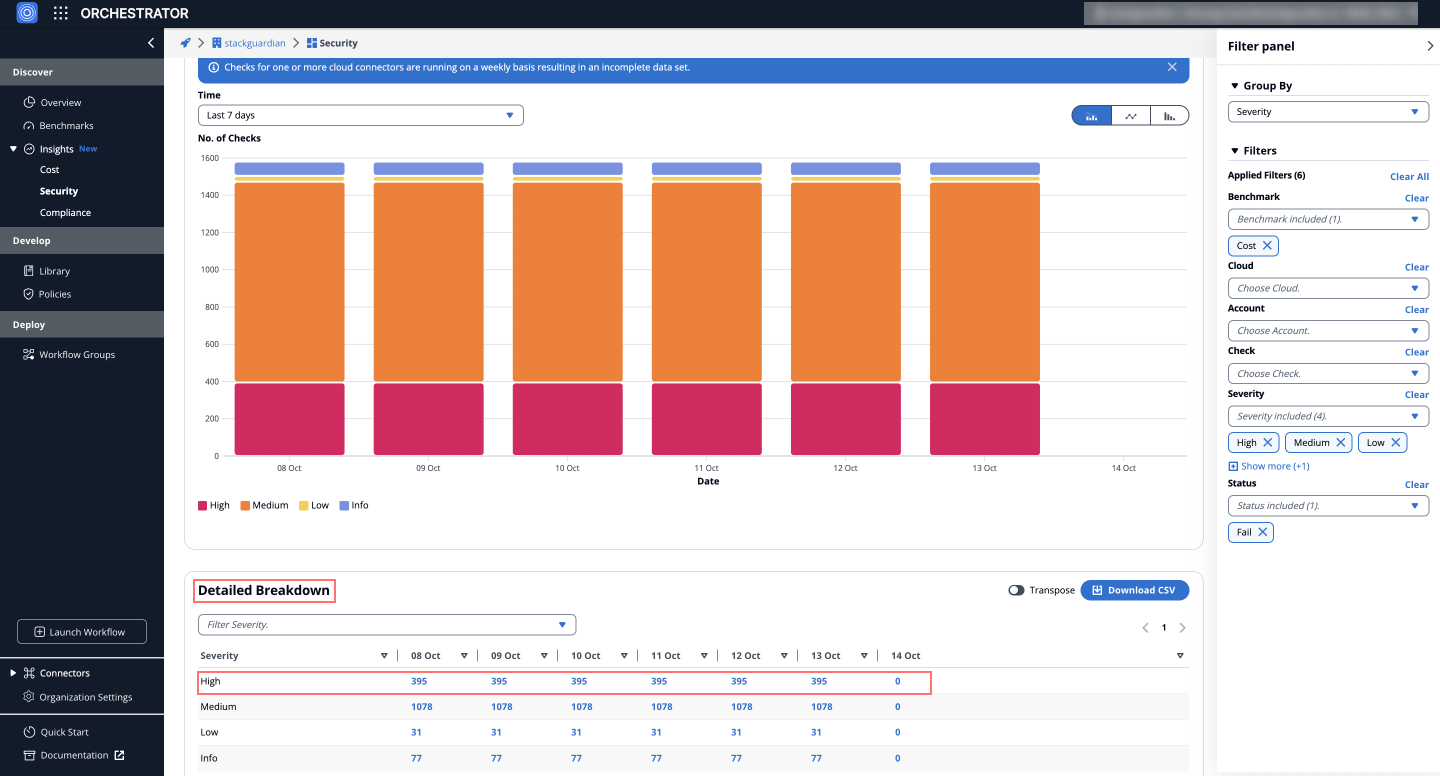
This will redirect you to the Detail Checks tab, which lists the failed checks with severities for that date, providing detailed insights into the issues.
Failed Check Details
On the Detail Checks tab, clicking on a specific failed check provides a detailed tabular view that lists the reasons, resource, status and more for the corresponding cloud account.
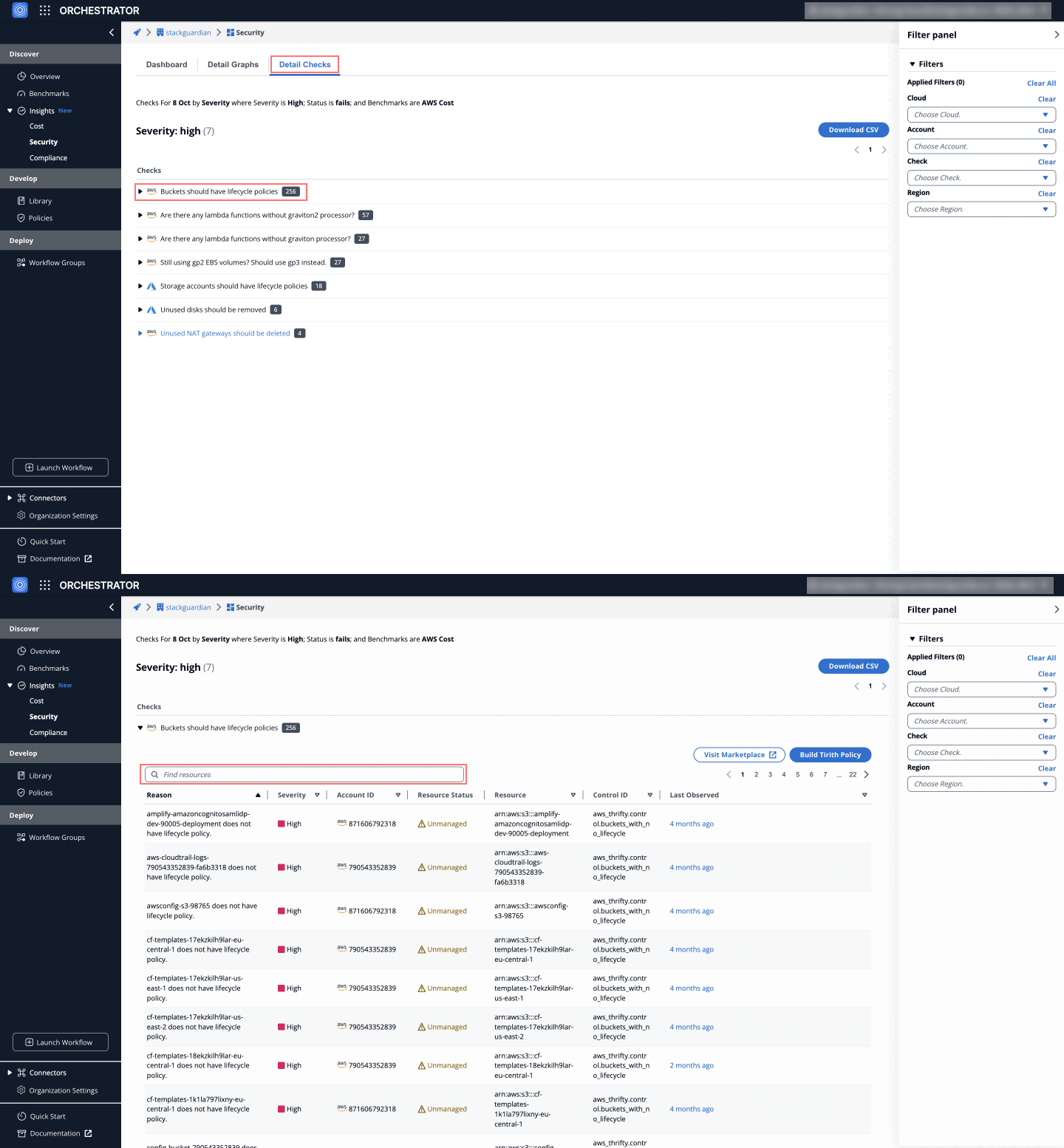
This view allows users to pinpoint the affected resources and understand exactly what needs to be done to bring them back into compliance.