Workflow triggers
Overview
Workflow triggers allow you to automatically run a workflow in response to VCS events such as pushes, pull requests, and tag creation. Triggers are configured per workflow and are available for GitHub, GitLab, and Bitbucket.
Triggers become active only after you save the workflow.
Configure triggers
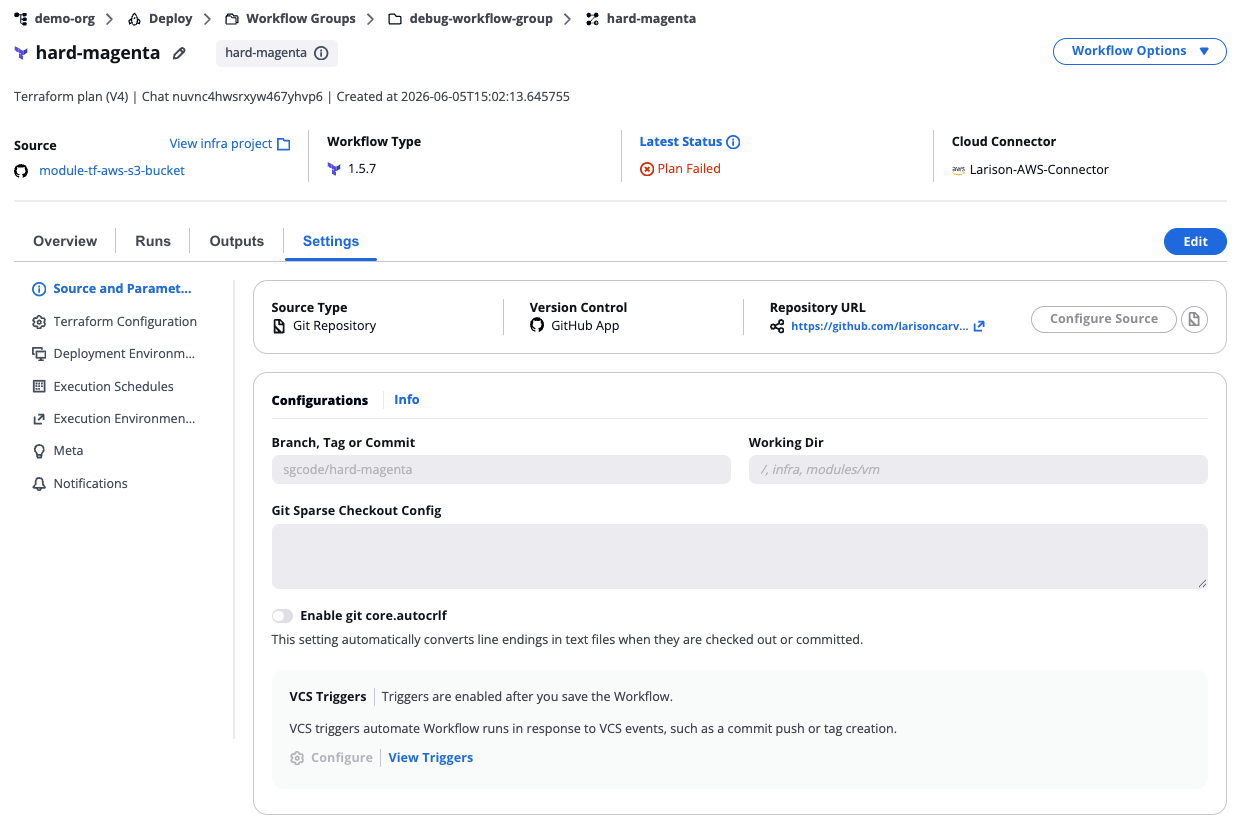
VCS triggers
- GitHub
- GitLab
- Bitbucket
- Select the target workflow.
- Navigate to Source and Parameters > Configurations.
- Under VCS Triggers, select View Triggers to review the current configuration, or Configure to edit it.
- In the VCS Triggers modal, configure the options described below.
- Select Save.
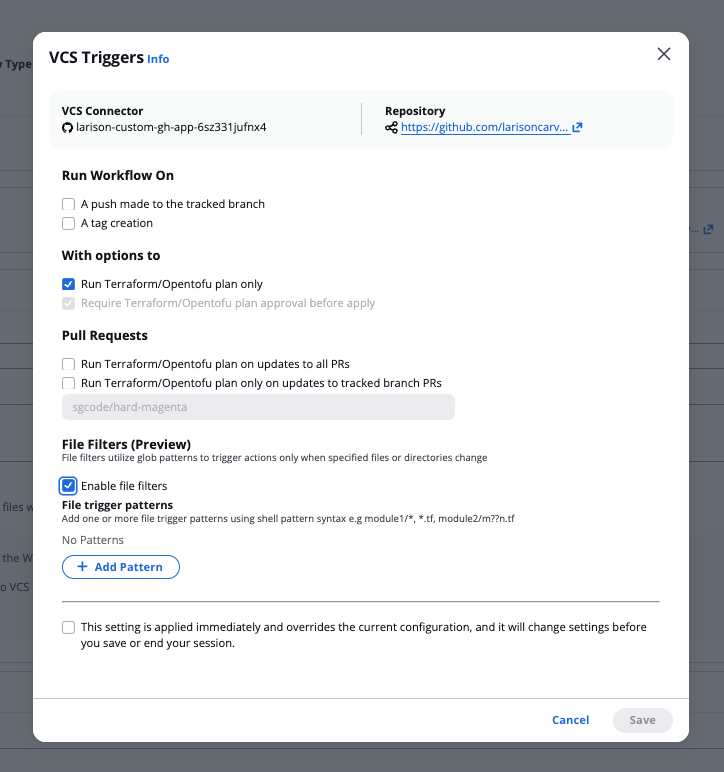
GitHub triggers
The modal header shows the VCS Connector and Repository for the workflow.
- Select the target workflow.
- Navigate to Source and Parameters > Configurations.
- Under VCS Triggers, select View Triggers to review the current configuration, or Configure to edit it.
- In the VCS Triggers modal, configure the options described below.
- Select Save.
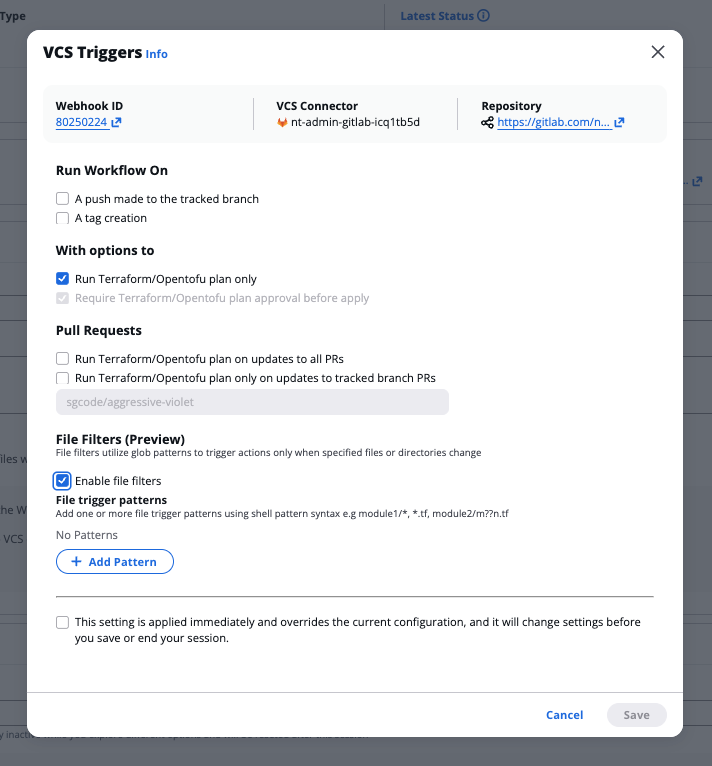
GitLab triggers
The modal header shows the Webhook ID, VCS Connector, and Repository for the workflow. All trigger options are the same as GitHub — refer to the GitHub tab for option descriptions and screenshots.
Before configuring triggers, ensure your Bitbucket access token includes the pullrequest, repository, and webhook scopes. See Bitbucket connector setup.
- Select the target workflow.
- Navigate to Source and Parameters > Configurations.
- Under VCS Triggers, select View Triggers to review the current configuration, or Configure to edit it.
- In the VCS Triggers modal, configure the options described below.
- Select Save.
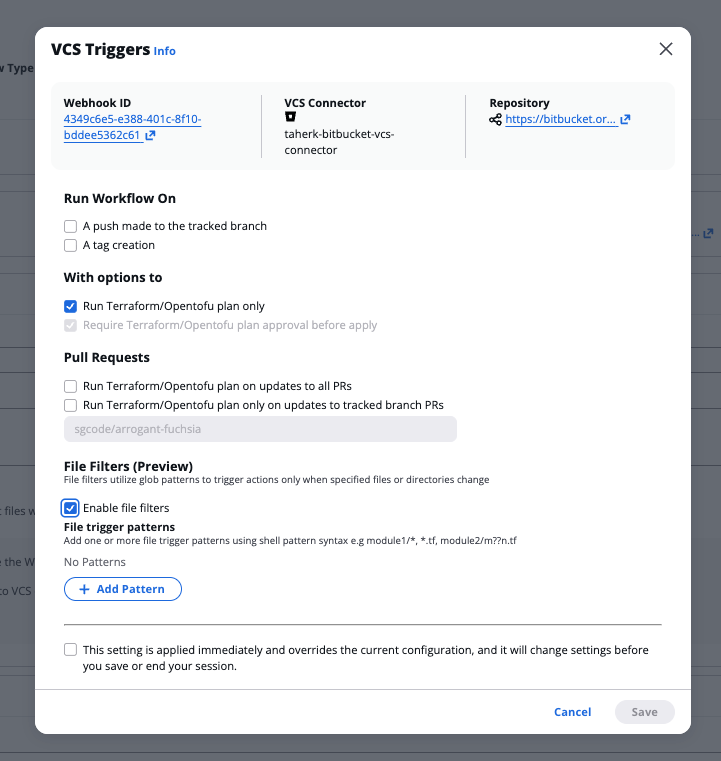
Bitbucket triggers
The modal header shows the Webhook ID, VCS Connector, and Repository for the workflow. All trigger options are the same as GitHub — refer to the GitHub tab for option descriptions and screenshots.
Run Workflow On
- A push made to the tracked branch — Triggers a workflow run when a push is made to the tracked branch.
- A tag creation — Triggers a workflow run when a new tag is created.
With options to
- Run Terraform/Opentofu plan only — Executes a plan without applying changes. Selecting this option disables the Require Terraform/Opentofu plan approval before apply option.
- Require Terraform/Opentofu plan approval before apply — Requires plan approval before changes are applied.
Pull Requests
- Run Terraform/Opentofu plan on updates to all PRs — Triggers a plan run on any pull request update in the repository. Selecting this option disables the tracked branch PR option below.
- Run Terraform/Opentofu plan only on updates to tracked branch PRs — Triggers a plan run only on pull requests targeting the tracked branch.
- Where the target branch is — Enter the branch name in the Specify the branch name field. This applies when Run Terraform/Opentofu plan only on updates to tracked branch PRs is selected.
File Filters (Preview)
File filters use glob patterns to trigger a workflow only when specific files or directories change.
- Select the Enable file filters checkbox.
- Under File trigger patterns, select + Add Pattern.
- Enter one or more patterns using shell pattern syntax (for example,
module1/*,*.tf,module2/m?n.tf).
Supported pattern syntax
| Pattern | Matches |
|---|---|
* | Any string within a directory |
? | Any single character |
[seq] | Any character in the sequence |
[!seq] | Any character not in the sequence |
Patterns are matched against the full file path (for example, module1/main.tf). Relative path depth matters.
Session override setting
All trigger modals include the following option at the bottom:
This setting is applied immediately and overrides the current configuration, and it will change settings before you save or end your session.
Enable this checkbox to apply trigger configuration changes immediately without waiting for the next save.