State Backends
Overview
State backends let SGCode compare your discovered resources against existing Terraform state files. This shows you which resources already have code, so you don't generate code for infrastructure that's already managed.
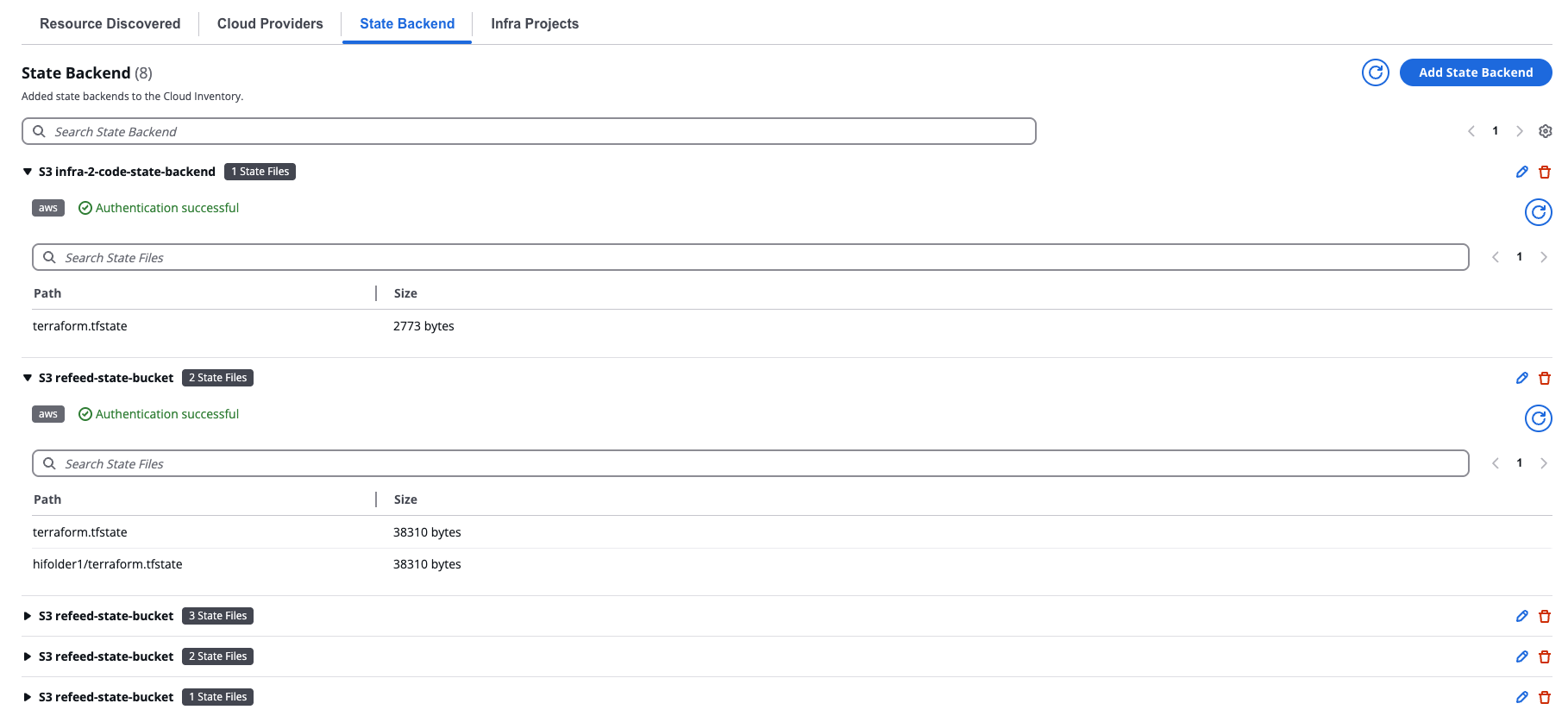
State Backend
To add a state backend, select Add State Backends and complete the form.
AWS S3
Select AWS S3 from the Type dropdown, then complete the following fields:
- Select Connector — Connected cloud provider connector to authenticate with your S3 bucket
- Bucket Region — Region where your state bucket is located
- S3 Bucket Name — Name of your S3 bucket
Select Discover State Files to import the state.
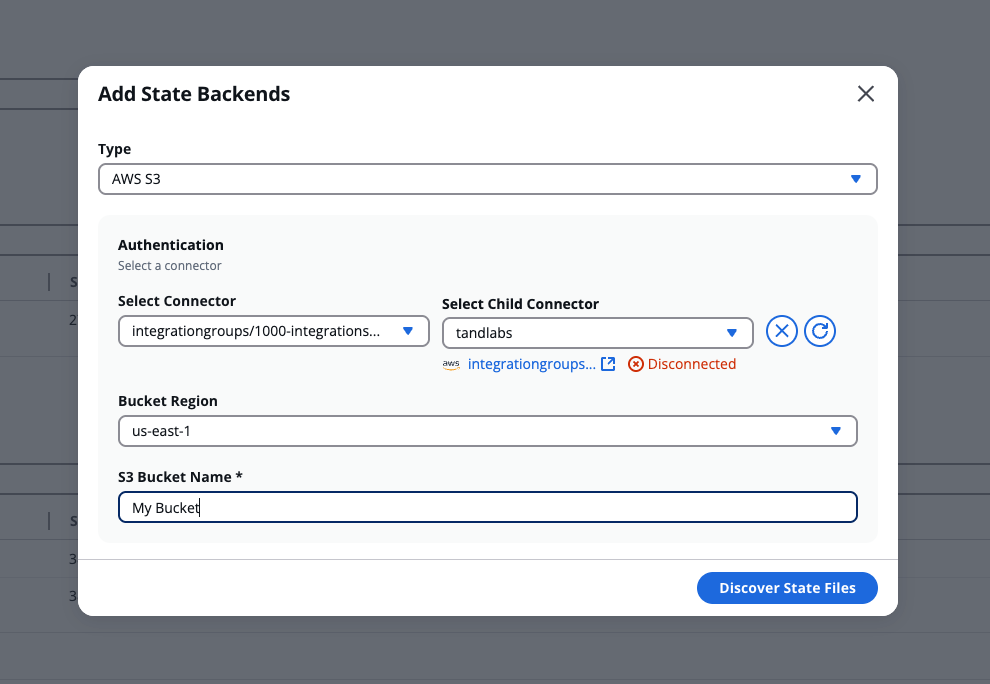
Add an AWS state backend
Azure Blob Storage
The Azure principal used to authenticate must have the Storage Blob Data Reader role on your Azure Blob Storage account.
Select Azure Blob Storage from the Type dropdown, then complete the following fields:
- Storage Account Name — Name of your Azure storage account
- Storage Container Name — Name of the Azure Blob Storage container where your state files are stored
Under Authentication, choose one of the following options:
- Connector - Select a connected cloud provider connector from the Select Connector dropdown.
- Access Key - Enter your storage account access key in the Storage Account Access Key field, then select Add Key.
Select Discover State Files to import the state.
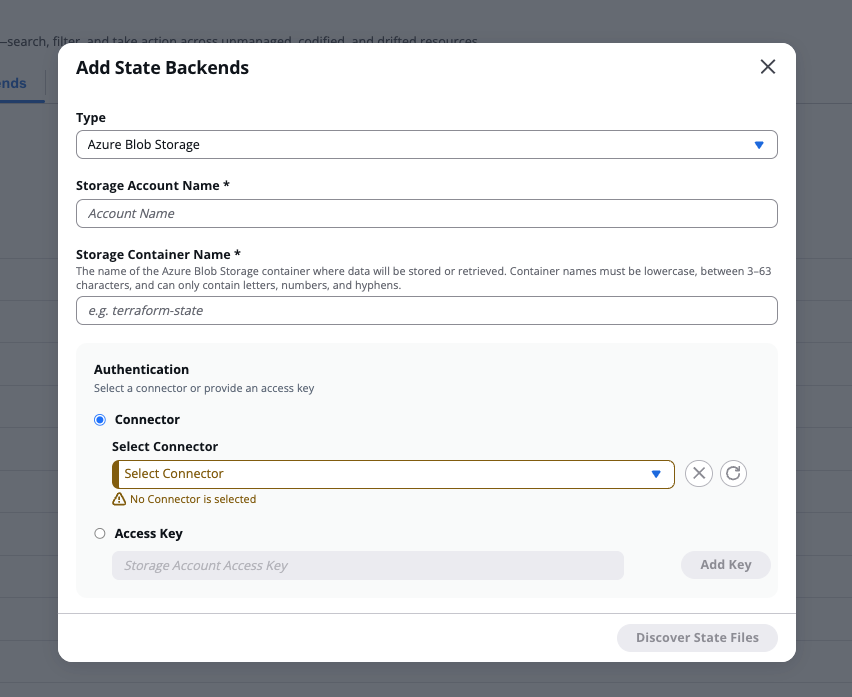
Add an Azure Blob Storage state backend